Welcome to a comprehensive guide on building a captivating mini-game. This project focuses on creating an experience where progress continues even when you’re away. The core loop is simple yet deeply engaging.
These types of experiences, often called incremental games, have taken the casual market by storm. Titles like Cookie Clicker and Adventure Capitalist have shown how addictive these mechanics can be. Players enjoy watching numbers grow and systems automate.
This guide is perfect for developers looking to expand their portfolio. You will learn to construct a fully functional project from the ground up. We will use a powerful and popular engine to bring our vision to life.
The engine’s cross-platform support is a major advantage. It allows you to build once and deploy to multiple devices. This maximizes your potential audience with minimal extra effort.
By the end, you’ll have a solid foundation in creating satisfying gameplay loops. The skills you gain are highly transferable to other project types. Let’s start building an experience that players will love.
Key Takeaways
- Understand the core addictive mechanics behind successful incremental games.
- Learn how to implement automated progression systems that run without constant player input.
- Gain hands-on experience building a complete project using a leading development engine.
- Discover the benefits of cross-platform development for reaching a wider audience.
- Acquire transferable skills applicable to other genres like simulators and management games.
- Create a satisfying core gameplay loop that encourages player retention and return visits.
Getting Started with Unity Idle Clicker Tutorial
Let’s roll up our sleeves and prepare the digital workspace for our incremental project. A proper setup is crucial for a smooth and enjoyable creation process.
This powerful engine is a fantastic choice for creators. It supports building for phones, computers, and consoles. This versatility is a major advantage for reaching a wide audience.
Introduction to Unity and Its Capabilities
The editor might look complex initially. But its tools for designing interfaces and animations are very intuitive. They help you build mechanics faster.
You have access to a massive library of free learning materials. Over 750 hours of structured content await on the official learning platform. Pathways exist for beginners, artists, and programmers alike.
Setting Up Your Development Environment
First, download and install Unity Hub. Then, select a stable Long-Term Support (LTS) version of the editor. This ensures the best compatibility for your work.
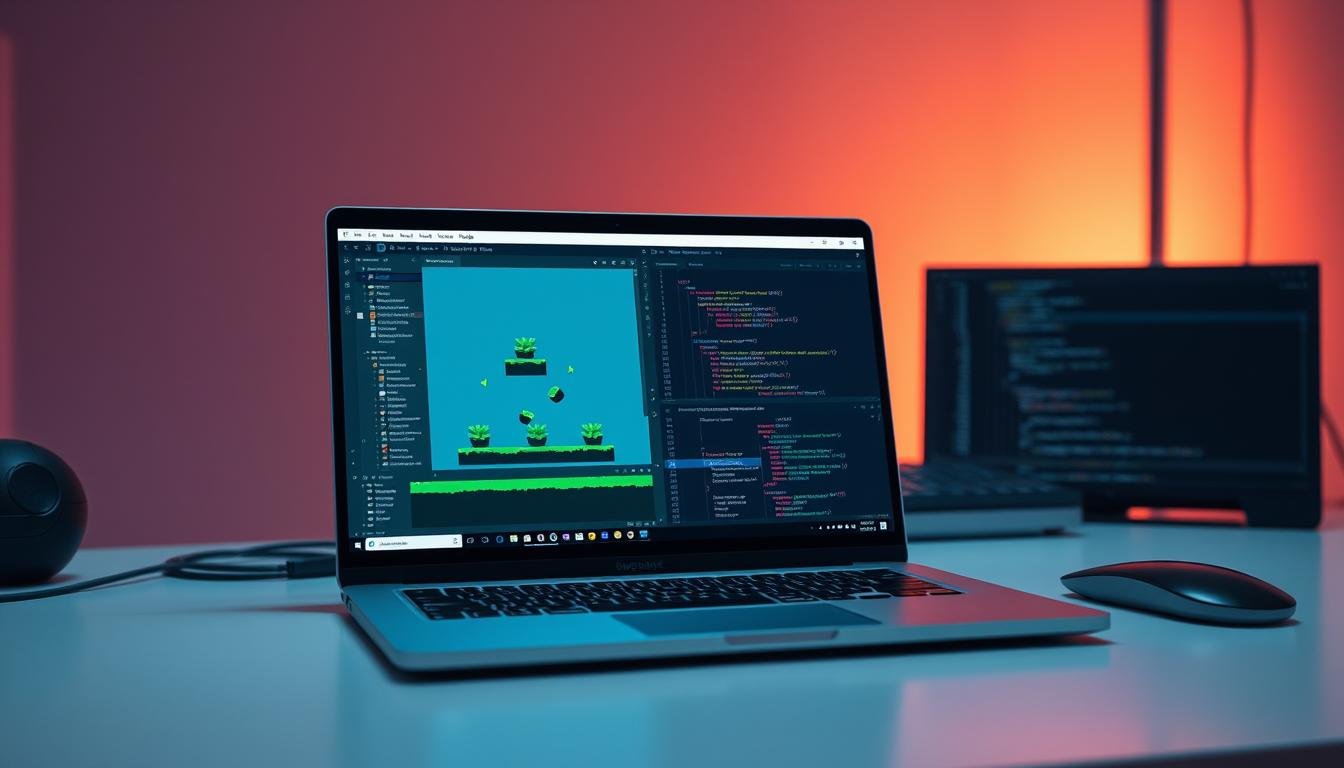
Familiarize yourself with the main windows. The Scene view, Hierarchy, and Inspector are your primary tools. They help you organize and build your world.
If you plan to use online features, you’ll later set up cloud services. This includes Economy for currency and Cloud Save for progress. For now, focus on the local setup.
Don’t fear coding if you’re new. The scripting for this genre starts simple. It’s a great way to learn programming concepts step by step.
Building Your Idle Clicker Game: Core Concepts and Mechanics
At the heart of every engaging incremental project are carefully balanced systems that drive player progression. These experiences combine simple interactions with deep strategic elements that keep people coming back.
Understanding Idle Clicker Game Dynamics
The core loop begins with active tapping or clicking to generate resources. Players then invest these earnings into automated producers that work over time.
This creates a satisfying cycle of growth. Early effort leads to long-term passive gains. Proper balance between active and passive income is crucial for engagement.
Consider a simple economy where Water serves as the main currency. Wells purchased with Water each produce one unit per second. This basic relationship forms the foundation of compelling gameplay.
Essential Game Elements and Resource Management
Your project needs clear displays for current resources and production rates. Players should easily understand their progress and potential upgrades.
Real-time simulation presents a significant challenge in game development. The system must calculate offline production accurately. Cloud-based solutions ensure fair progression across all devices.
Start with simple mechanics using one or two resource types. Design your code for future expansion. This approach allows you to add complexity as your audience grows.
Developing Engaging UI and Gameplay Loops in Unity
A well-designed interface and compelling gameplay cycle are the twin pillars of any successful incremental experience. They transform simple mechanics into something players find hard to put down.
Designing an Intuitive User Interface
Clarity is king when building your interface. The user needs to see their currency, production rates, and available upgrades instantly.
This engine’s built-in tools make this process straightforward. You can use Canvas and Text components to display vital numbers. Buttons allow for clear player interactions.
Every element must be easy to read and interact with. A clean layout always beats a cluttered, flashy one. This ensures the user stays focused on their progress.
Creating Addictive and Satisfying Game Loops
The core loop must feel rewarding from the very first click. Immediate feedback is essential for a great game feel.
Every tap should trigger a visual or audio response. Think of particle effects or number pop-ups. This makes simple actions feel impactful and fun.
Set up short, medium, and long-term goals for the player. This structure gives people a constant reason to return. Watching numbers grow over time provides a deep sense of satisfaction.
When a user comes back after being away, show them what they earned. This “welcome back” bonus is a key retention tool. It proves the value of your game’s idle mechanics.
Leveraging Cloud Services and Advanced Game Development Techniques
Cloud-based solutions transform simple mechanics into persistent experiences that players can access anywhere. These services prevent cheating and ensure fair progression across all devices.
Integrating Unity Gaming Services and Cloud Code
The platform offers essential packages for robust backend functionality. Authentication handles anonymous player sign-ins seamlessly. Cloud Code executes server-side logic for validation and security.
Cloud Save maintains persistent game state across sessions. Economy service manages currency balances and transactions securely. These tools work together to create a professional experience.
Optimizing Real-Time Resource Production and Virtual Purchases
Real-time calculations present unique challenges for developers. Server-side processing prevents clock manipulation exploits. The system accurately grants resources based on elapsed time.
Virtual purchases require careful validation before completion. Cloud Code checks tile availability and currency balances. Successful transactions update the game state immediately.
Managing Game State and Player Interactions
Efficient API calls are crucial for performance and cost management. The sample demonstrates batching operations effectively. Client-side simulation maintains responsive gameplay between server syncs.
Proper configuration includes defining currencies and purchase items. This approach ensures transactional integrity throughout the experience. Players enjoy consistent progression across all their devices.
Wrapping Up Your Unity Idle Clicker Project
The skills you’ve acquired through this hands-on experience will serve you well in future projects. You now understand core mechanics that drive player engagement across many genres.
To continue growing, explore intermediate gameplay scripting courses. These cover advanced topics like AI navigation and visual effects. They build directly on what you’ve learned.
Consider the Universal Render Pipeline for better performance in complex games. Many free tutorials exist for procedural generation and optimization techniques.
The math behind balancing game economies applies to all development work. Your foundation in resource management systems is valuable for any project.
Remember that creating games is an iterative process. Start with playable prototypes and improve based on feedback. The development community offers incredible support as you progress.