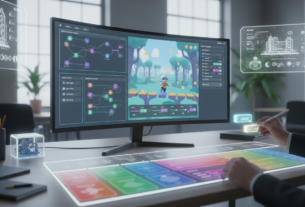
The global video game market is experiencing explosive growth. Projections indicate revenue will reach $268.8 billion by 2025 and soar to $733.22 billion by 2030. This expansion creates a massive opportunity for creators worldwide.
Modern development tools have fundamentally changed who can build interactive experiences. Platforms now empower individuals with creative vision, removing the traditional barrier of extensive programming knowledge.
This guide explores how to craft engaging user interfaces using these powerful builders. The focus shifts from complex syntax to pure creative expression. You can achieve faster production cycles and significantly lower costs.
Gaming is no longer exclusive to large studios with massive teams. Independent creators, educators, and entrepreneurs can now bring their ideas to life. This article will provide a comprehensive path forward.
Key Takeaways
- The video game industry represents a multi-billion dollar opportunity for creators.
- No-code platforms democratize development, making it accessible to non-programmers.
- These tools prioritize visual design and logic over traditional writing.
- Key advantages include accelerated production and reduced financial investment.
- The landscape now welcomes independent creators alongside major studios.
- This guide will cover platform evolution, product comparisons, and selection criteria.
Understanding No-Code Game Makers and Their Impact
Modern creation tools eliminate technical barriers that once limited who could build digital worlds. These platforms use intuitive interfaces instead of complex programming languages. This approach makes development accessible to creators with diverse backgrounds.
How Visual Interfaces Replace Traditional Coding
Visual scripting systems transform complex programming into manageable visual workflows. Instead of writing text-based code, users connect nodes and drag elements. This method mirrors natural thought processes more closely than traditional programming.
Event-based logic and node connections create interactive mechanics without manual coding. Developers can focus on creative vision rather than syntax memorization. The learning curve becomes significantly gentler with these visual approaches.
Historical Evolution from Early Tools to Modern Platforms
The journey began in the mid-1980s with pioneering software like HyperCard. These early systems introduced the concept of visual programming for interactive projects. They laid the foundation for today’s sophisticated platforms.
Throughout the 1990s, tools like Klik & Play expanded these capabilities. Games including “Doom” featured level editors that empowered community creation. This established the precedent for user-generated content without programming knowledge.
Contemporary platforms build upon decades of innovation in visual development. They incorporate model-driven architecture that hides complexity while maintaining power. This evolution has fundamentally changed participation in digital creation.
The Rise of No-Code Development in the Gaming Industry
Visual development approaches are revolutionizing the way interactive projects are conceptualized and built. This shift represents a fundamental change in how creators bring their visions to life.
Market Growth and Technological Shifts
Industry research reveals significant momentum behind visual development tools. Gartner predicts that by 2025, most new applications will utilize these platforms.
This adoption brings substantial efficiency gains. Visual development can reduce production timelines by up to 90%. Such acceleration enables faster market entry and lower costs.
Regional markets demonstrate this expansion. Singapore’s interactive entertainment sector is projected to reach $826.33 million in 2025. This growth illustrates global opportunities that visual tools help capture.
Expanding Access for Developers and Creators
Visual platforms have dramatically lowered entry barriers. Hobbyists, students, and small studios can now participate in creation. This was previously restricted to experienced programmers.
Technological advancements make these systems increasingly powerful. Improved visual scripting and cloud collaboration enhance production capabilities. Cross-platform export features support commercial viability.
This democratization fosters greater diversity in content. Independent creators bring fresh perspectives and innovative concepts. New business models emerge that weren’t feasible under traditional constraints.
Exploring no code game ui design Tools and Techniques
The landscape of interactive creation now includes sophisticated tools that simplify layout design processes. These platforms empower creators with visual approaches that bypass traditional technical hurdles.
Modern systems provide comprehensive solutions for building engaging player interfaces. They transform complex development tasks into intuitive visual workflows.
Key Features That Simplify Game UI Layouts
Drag-and-drop functionality stands out as a fundamental advantage. This approach allows precise element placement without coordinate calculations. Creators can visually arrange components with immediate feedback.
Customizable templates offer significant time savings. These pre-built frameworks cater to various genres and styles. Developers can start with professional layouts and adapt them to specific needs.
Event-based systems enable interactive functionality through visual connections. Buttons, menus, and interface elements link directly to mechanics. This eliminates the need for traditional callback functions.
Asset libraries provide ready-made components that maintain visual consistency. These collections include buttons, icons, and progress bars. They ensure cohesive appearance across the entire experience.
Block-based design tools focus attention on user experience aspects. Creators can prioritize information hierarchy and navigation flow. The intuitive workflows allow concentration on creative decisions rather than technical implementation.
Product Roundup: Top No-Code Game Builders for UI Design
Several powerful platforms have emerged that enable visual development of complete projects with professional results. These solutions offer distinct approaches to building interactive experiences.
GDevelop, Construct 3, and GameMaker Studio 2 Overviews
GDevelop stands out as a completely free, open-source option. It uses event-based logic and supports exports to multiple platforms. The community support makes it ideal for beginners.
Construct 3 operates entirely in your browser with drag-and-drop functionality. It offers extensive template libraries starting at $4.99 monthly. The system provides one-click export capabilities.
GameMaker Studio 2 combines visual interfaces with optional scripting for advanced users. A free trial leads to a $39 permanent license. Notable titles like “Undertale” demonstrate its capabilities.
High-End Options: Unity Visual Scripting and RPG Maker
Unity Visual Scripting brings node-based workflows to a professional 3D engine. It supports VR/AR development and has a massive asset store. Personal use remains free with Pro at $399 annually.
RPG Maker specializes in role-playing experiences with pre-built mechanics. The $79.99 purchase includes character creation tools and dialogue editors. “To The Moon” showcases its potential for emotional storytelling.
Each platform serves different creator needs and skill levels. The choice depends on project scope, budget, and desired outcomes.
Empowering Creative Layouts with No-Code Platforms
By shifting the focus from syntax to spatial arrangement, these builders unlock new levels of creative expression for interface layout. They provide a unified environment where the visual appearance and interactive behavior of an interface are developed together.
Drag-and-Drop Interfaces and Visual Scripting Methods
Drag-and-drop functionality is the cornerstone of intuitive layout creation. Designers can position elements with pixel-perfect precision simply by clicking and moving them. This direct manipulation bypasses the need for writing complex positioning code.
Properties like size, color, and opacity can be adjusted in real-time through visual panels. This immediate feedback loop accelerates the creative process significantly.
For adding interactivity, visual scripting methods take center stage. Systems use nodes, blocks, or event sheets to define logic. Creators connect these elements to build complex mechanics like animated menus or dynamic inventory systems.
This combination allows for rapid prototyping and testing. Changes to the layout or behavior can be made and previewed instantly. This iterative approach is vital for refining the player experience based on feedback.
Essential Considerations When Choosing a No-Code Builder
Your project’s success depends heavily on matching platform capabilities with specific needs. Several factors determine which tool best supports your creative vision and technical requirements.
Pricing, Scalability, and Community Support
Financial investment varies significantly across available platforms. Free open-source options like GDevelop provide excellent starting points for beginners creating their first games without programming experience.
Subscription models and one-time purchases offer different value propositions. Scalability ensures your chosen system can grow alongside your ambitions.
Community support dramatically impacts the learning experience. Active forums and comprehensive tutorials help overcome challenges more efficiently.
Game Genre and Platform Compatibility
Different builders excel with specific types of interactive projects. Some platforms specialize in role-playing experiences while others focus on 2D adventures.
Consider where you want to publish your final product. Export capabilities to mobile, desktop, and web platforms vary between systems.
Your choice should align with both immediate goals and long-term vision. The right platform empowers creators to bring their ideas to life effectively.
Leveraging Visual Scripting and Intuitive Templates
Template libraries and visual scripting systems represent powerful accelerators for interactive project development. These resources provide starting points that dramatically reduce initial setup time.
Platforms like Construct 3 offer extensive collections with over 100,000 starting templates. These frameworks cover virtually every 2D genre and mechanic imaginable.
How Prebuilt Assets Accelerate Game Creation
Ready-made components transform the production process. Sprites, 3D models, and interface elements bypass time-consuming asset creation.
Specialized tools like Kenney’s Asset Forge and Piskel generate custom assets without traditional skills. They integrate seamlessly with popular engines for consistent visual styles.
Visual scripting combined with templates creates powerful synergies. Developers start with functional systems and customize behaviors through node-based logic.
Third-party extensions like Playmaker for Unity expand visual capabilities. These tools add sophisticated logic with minimal traditional scripting requirements.
The combination delivers significant time savings while maintaining professional quality standards. Creators can focus on unique mechanics rather than foundational work.
Tips for Designers and Developers on Game Creation Without Coding
Building interactive experiences has become more accessible than ever through modern development platforms. Both newcomers and seasoned professionals can benefit from strategic approaches to maximize their effectiveness.
Maximizing Productivity in Productive Environments
Industry data reveals that proper workflow optimization can reduce development time by up to 90%. Establish clear naming conventions and organize your asset libraries from the beginning.
Version control systems work surprisingly well for visual projects. Create efficient testing workflows that allow rapid iteration cycles. This approach ensures consistent progress.
Practical Advice for Beginners and Experienced Creators
For those starting their first project, focus on core mechanics before visual polish. Many beginners attempt overly ambitious concepts without proper foundation.
Educational institutions now incorporate these platforms into curricula. Students learn fundamental concepts without programming language prerequisites. This demonstrates the viability of this creation method.
Successful studios using platforms like Construct 3 earn substantial monthly revenue. They focus on innovative ideas rather than technical implementation. The commercial potential is significant when using the right approach.
Experienced developers can push platform capabilities through hybrid techniques. Combine visual scripting with minimal custom extensions when needed. This balances creativity with technical requirements.
Conclusion
A new era of content creation is unfolding, powered by intuitive platforms that prioritize visual workflows over technical complexity. Gartner research confirms this shift, predicting most new applications will utilize these approaches by 2025.
Artificial intelligence integration represents the next frontier for these development systems. Automated asset generation and intelligent logic creation further reduce barriers for creators. This evolution makes interactive projects accessible to wider audiences.
While certain customization constraints exist, the benefits of accelerated production and reduced costs are significant. Platforms like Construct 3 and Unity Visual Scripting offer viable options for both beginners and professional studios.
The barriers to bringing creative concepts to life have never been lower. With compelling ideas and dedication, anyone can now participate in this expanding field regardless of programming knowledge.
FAQ
What are the primary advantages of using no-code platforms for game UI design?
Can I build a complex game with advanced mechanics using a visual scripting system?
How do drag-and-drop interfaces work for game creation?
Are there limitations to what I can create with no-code game engines?
What should I consider when choosing a no-code development tool?
Is prior experience in software development necessary to begin?

Game developer with over 10 years of professional experience specializing in the mobile sector. George’s journey began with a passion for indie development, leading him to contribute to several successful mobile titles, including the critically acclaimed puzzle-platformer ChronoShift and the top-down strategy game Pocket Empires.