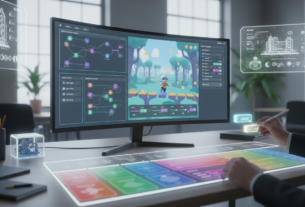
The landscape of interactive entertainment creation is undergoing a dramatic shift. Powerful new platforms are empowering a wider range of creators to bring their ideas to life faster than ever before.
The global gaming market continues its impressive expansion, projected to reach hundreds of billions of dollars in the coming years. This growth creates incredible opportunities for developers who can quickly test and validate concepts.
This approach to building interactive experiences replaces complex programming languages with intuitive visual editors and drag-and-drop interfaces. These development tools significantly accelerate the entire creative process, allowing for rapid iteration.
This guide provides actionable strategies and proven methodologies for creating functional prototypes. Whether you are an indie developer or a creative hobbyist, understanding these fundamentals helps you iterate faster and reduce costs while maintaining full creative control.
Key Takeaways
- The gaming industry’s massive growth offers significant opportunities for agile creators.
- Modern platforms enable rapid creation without traditional programming knowledge.
- Visual editors and pre-built assets speed up the development cycle considerably.
- These tools provide professional-grade features like physics simulation and cross-platform publishing.
- Effective prototyping allows for faster concept testing and more efficient iteration.
- This methodology reduces overall project costs while preserving creative vision.
- This guide will walk you through the entire journey from idea to functional prototype.
Introduction to Rapid Game Prototyping
A revolutionary approach to building digital entertainment has emerged, changing how creators bring ideas to reality. This methodology represents a fundamental shift in the creative process for interactive experiences.
The global gaming market demonstrates enormous potential, projected to reach $522.46 billion by 2025. This growth creates significant opportunities for developers who can quickly validate concepts.
Traditional development often required extensive programming work before testing core mechanics. Modern approaches compress this timeline dramatically, allowing for faster iteration cycles.
Prototyping serves multiple critical functions in the development lifecycle. These include concept validation, stakeholder communication, and user testing preparation.
The video game industry’s maturation has increased competition across market segments. Rapid iteration becomes essential for identifying unique value propositions and testing market fit.
Understanding prototyping fundamentals provides a foundation for successful interactive projects. This includes iteration cycles, feedback integration, and feature prioritization strategies.
The prototyping phase is where creative ideas truly come to life. Developers can experiment with mechanics and discover what makes their concepts engaging.
Understanding No Code Game Prototypes
Modern creators now have access to intuitive systems that bypass traditional technical barriers in interactive media creation. These platforms enable rapid concept validation through visual interfaces rather than complex programming languages.
Definition and Core Benefits
Visual development environments replace written programming with drag-and-drop components and pre-built logic blocks. This approach eliminates the need for extensive technical knowledge while maintaining full creative control.
The primary advantages include dramatically accelerated production timelines and reduced team requirements. Creators can focus entirely on design and mechanics rather than technical implementation details.
No Code vs. Traditional Coding Approaches
Traditional development demands mastery of languages like C++ or JavaScript, often requiring years of study. Visual platforms enable functional demonstrations within days or weeks of initial exposure.
These intuitive systems provide immediate feedback through live preview features. This allows for rapid iteration cycles that traditional methods cannot match in early stages.
The distinction between methodologies helps teams select the optimal approach based on project scope and resources. Each method serves different needs in the interactive entertainment landscape.
Preparing Your Game Concept and Gameplay Loop
Effective game development begins with a solid foundation of well-defined concepts and engaging gameplay loops. This preparation phase determines the success of your entire project.
Structured planning ensures your creative vision translates smoothly into interactive experiences. The initial stages focus on refining core ideas before technical work begins.
Brainstorming Ideas and Narrowing Down Concepts
Teams typically generate around fifty initial concepts during brainstorming sessions. This wide range allows for diverse creative exploration.
The selection process systematically narrows ideas based on feasibility and market potential. Strong concepts advance through multiple evaluation stages.
This iterative approach ensures only the most viable projects reach development. It maximizes creative investment while minimizing wasted effort.
Diagramming Your Gameplay Flow
Visual mapping tools help creators outline the player’s journey through their experience. Flowcharts illustrate the sequence of actions and events.
Classic examples like Super Mario Bros. demonstrate effective loop design. The pattern of jumping, collecting, and progressing creates engaging repetition.
Sticking to your planned path prevents scope creep from derailing projects. Discipline during this phase preserves the core gameplay vision.
Selecting the Right No-Code Game Development Tools
The selection of appropriate creation software significantly influences the entire production process. Making the right choice impacts your workflow efficiency and final product quality.
Overview of Available Game Engines and Editors
Various game engines cater to different experience levels and project requirements. Beginners often start with accessible platforms like Construct 3 or Scratch.
More advanced creators might prefer Unity Visual Scripting or Unreal Engine Blueprints. These tools offer professional capabilities while maintaining visual interfaces.
Specialized engines like RPG Maker focus on specific genres. Each tool brings unique advantages to the development process.
Comparing Tools for Different Skill Levels
Entry-level platforms provide gentle learning curves with extensive documentation. They’re ideal for learning fundamental concepts without complex programming.
Intermediate game engines like GameMaker Studio balance accessibility with advanced features. They support growth from simple concepts to polished games.
Professional-grade tools demand more technical understanding but deliver superior results. Consider your team’s skills and project scope when making your choice.
Building a Digital Paper Prototype
The evolution from physical mockups to digital representations marks a significant advancement in creative workflows. This transition enhances traditional approaches while maintaining conceptual clarity.
Digital versions bridge the gap between initial concepts and functional implementation. They create interactive mockups that communicate ideas more effectively than static documentation.
Translating Traditional Paper Prototypes into Digital Forms
Traditional paper prototypes using physical materials can be digitized through scanning or recreation in design software. This process preserves conceptual clarity while adding digital advantages like easy sharing.
Non-traditional tools like Figma offer intuitive interfaces for creating linked screen flows. These platforms simulate progression and support collaborative features.
Narrative engines such as Twine and Inky provide specialized environments for text-based projects. Twine’s visual interface displays each scene as connected nodes, allowing developers to visualize entire structures.
The HTML-based architecture enables advanced customization through a WYSIWYG editor. This includes visual styling, inventory systems, and conditional logic without manual coding.
Creating digital versions requires careful consideration of which elements to include. Focus on essential mechanics and primary interface components while deferring final art assets.
The art and design should prioritize clarity over aesthetic polish. Use placeholder graphics and simple shapes to communicate mechanics without distraction.
Utilizing Visual Scripting in Modern Game Engines
Node-based interfaces are transforming the development landscape for creators of all skill levels. These visual systems replace traditional text-based programming with intuitive graphical workflows.
Modern engines provide sophisticated tools that make complex mechanics accessible. Visual scripting bridges the gap between conceptual design and technical implementation.
Simplifying Complex Mechanics with Visual Logic
Unity Visual Scripting offers a node-based interface for creating sophisticated mechanics. Developers connect pre-built logic blocks instead of writing complex code.
Unreal Engine Blueprints delivers professional-grade capabilities used in commercial titles. This system handles AI behaviors, physics interactions, and UI systems visually.
GDevelop features comprehensive tools for 2D and 3D projects. The platform includes live preview functionality and hundreds of ready-made behaviors.
These editors maintain professional functionality while reducing technical barriers. The visual approach makes debugging and optimization more intuitive for creators.
Learning fundamental programming concepts remains essential for mastery. However, the graphical representation accelerates understanding of logic flows and system architecture.
Crafting an Immersive User Experience
Exceptional interactive experiences depend heavily on thoughtful user experience design principles. This approach focuses on creating intuitive systems that communicate clearly without extensive explanations.
Modern development platforms provide significant advantages for interface creation. Tools like GDevelop offer pre-fabricated UI objects and rich text styling that accelerate development.
Designing Intuitive Interfaces and Gameplay
Effective interface design communicates vital information through clear visual hierarchies. Players should understand their status, objectives, and resources at a glance.
Feedback systems create satisfying interactions through visual and audio responses. These elements help users understand the consequences of their actions immediately.
Character design and animation contribute significantly to engagement. Visual language communicates personality and intent through movement and expression.
Accessibility features demonstrate inclusive design principles that benefit all users. Options like adjustable text size and colorblind modes expand your potential audience.
Playtesting remains the most valuable method for evaluating user experience. Observing real interactions reveals where players struggle or lose interest.
Rapid Iterative Prototyping Techniques
The ability to iterate quickly separates successful projects from those that stagnate in development. This methodology emphasizes continuous improvement through structured cycles rather than pursuing perfection in a single attempt.
Modern platforms transform the creative workflow by providing immediate feedback mechanisms. These systems accelerate the entire development process through real-time testing capabilities.
Leveraging Live Preview and Hot-Reloading
Advanced tools like GDevelop feature live preview with hot-reloading functionality. This eliminates the traditional compile-test-modify cycle that slows down creative momentum.
Developers can see changes instantly without restarting their work. This maintains creative flow and dramatically accelerates iteration speed.
The system loads content in the background while testing begins immediately. This reduces waiting time and enables more frequent validation sessions.
Implementing Iteration and Feedback Loops
Effective prototyping requires structured playtesting with diverse participant groups. Clear objectives and observation protocols capture both verbal and behavioral feedback.
Time constraints serve as essential forcing functions that prevent endless refinement. Deadlines compel developers to prioritize features and accept imperfection.
Workflow optimization through templates and organization systems compounds over time. Each project builds experience that accelerates future development cycles.
Leveraging Community and Expert Support
The journey from concept to polished product frequently benefits from external guidance and shared expertise. Even solo creators can access extensive support networks that accelerate learning and problem-solving.
Accessing Forums, Discords, and Peer Resources
Online communities provide invaluable resources for developers working on interactive projects. Platforms like Discord servers and specialized forums host thousands of experienced creators.
Technical platforms such as StackOverflow and GitHub discussions offer searchable archives of solutions. These resources help developers overcome common challenges quickly.
Many creators hesitate to ask for assistance due to perceived barriers. However, community members typically enjoy sharing knowledge and helping others succeed.
Building a team, even informally, enhances the creative process. Different skills complement each other during development.
Video tutorials and documentation provide structured learning paths. These resources supplement hands-on experience with proven methodologies.
Participating consistently in communities builds professional networks. These relationships can enrich both professional and personal life.
Step-by-Step Guide to Creating no code game prototypes
Building your first interactive prototype requires a structured approach to ensure success. This systematic process helps creators transform concepts into testable experiences efficiently.
Essential Steps for Beginners
Begin by selecting a single concept from your brainstormed ideas. Focus your energy on thoroughly validating one core concept rather than spreading resources across multiple incomplete projects.
The critical second step involves deciding which prototype type best serves your validation goals. Choose between word prototypes for concept communication or digital versions for accurate gameplay simulation.
Tool selection requires thorough research comparing available options against your specific requirements. Consider your team’s skills, budget constraints, and timeline when making this important choice.
Mapping your gameplay loop before implementation creates a clear development roadmap. This prevents feature bloat and maintains focus on core mechanics that define your project’s unique value.
The initial build phase should focus exclusively on implementing the planned gameplay loop. Recognize that prototypes exist to test mechanics, not to showcase production quality.
Common Pitfalls and How to Overcome Them
Scope creep represents the most frequent challenge in prototype development. This occurs when developers continuously add features beyond the original plan, leading to incomplete validations.
Setting realistic deadlines forces prioritization decisions and prevents perfectionism paralysis. Treat these time constraints as immovable to ensure your prototype reaches testing phases.
Recognize when you need assistance from team members or community resources. Seeking help prevents wasted development time on solvable problems and maintains project momentum.
Common additional pitfalls include inadequate playtesting with diverse users and ignoring negative feedback. Define clear success criteria before beginning to measure your prototype’s effectiveness accurately.
Scaling Your Prototype into a Full Game
The transition from validated prototype to commercial product marks a critical development phase. This scaling process requires careful planning and strategic decisions about technical infrastructure.
Developers face important choices when expanding their projects. They must decide whether to continue with their current tools or transition to more powerful platforms.
Expanding Features and Enhancing Game Mechanics
Performance optimization becomes essential during scaling. Prototypes built for testing must handle larger worlds and more complex systems.
Expanding mechanics requires balancing new features with core gameplay. Each addition should enhance the player experience without diluting what made the prototype successful.
Art production transitions from placeholder assets to final quality. This may involve hiring specialists or purchasing professional assets for characters and environments.
Content creation expands the experience with additional levels and progression systems. The market growth to $733.22 billion by 2030 creates significant opportunities for well-executed projects.
Conclusion
The barrier between creative vision and interactive reality has never been lower. The global gaming industry’s expansion to 2.2 billion users creates remarkable opportunities for creators.
Visual development platforms have democratized the creation process. These powerful tools enable systematic validation of concepts through rapid iteration cycles.
Successful projects require disciplined planning and execution. From concept refinement to final product scaling, each phase demands focused attention.
The accessibility of modern development environments empowers diverse voices. This inclusivity enriches the entire entertainment landscape with fresh perspectives.
Whether pursuing professional projects or personal passions, these resources provide accessible entry points. They minimize financial risk while maximizing creative control throughout the journey.
FAQ
What are the main advantages of using no-code game engines?
How do I choose the right tool for my project?
Can a prototype built without coding be turned into a full, market-ready product?
What is the best way to test and iterate on my ideas?
Where can I find support and resources while learning?
What is a common mistake beginners make when starting?

Game developer with over 10 years of professional experience specializing in the mobile sector. George’s journey began with a passion for indie development, leading him to contribute to several successful mobile titles, including the critically acclaimed puzzle-platformer ChronoShift and the top-down strategy game Pocket Empires.