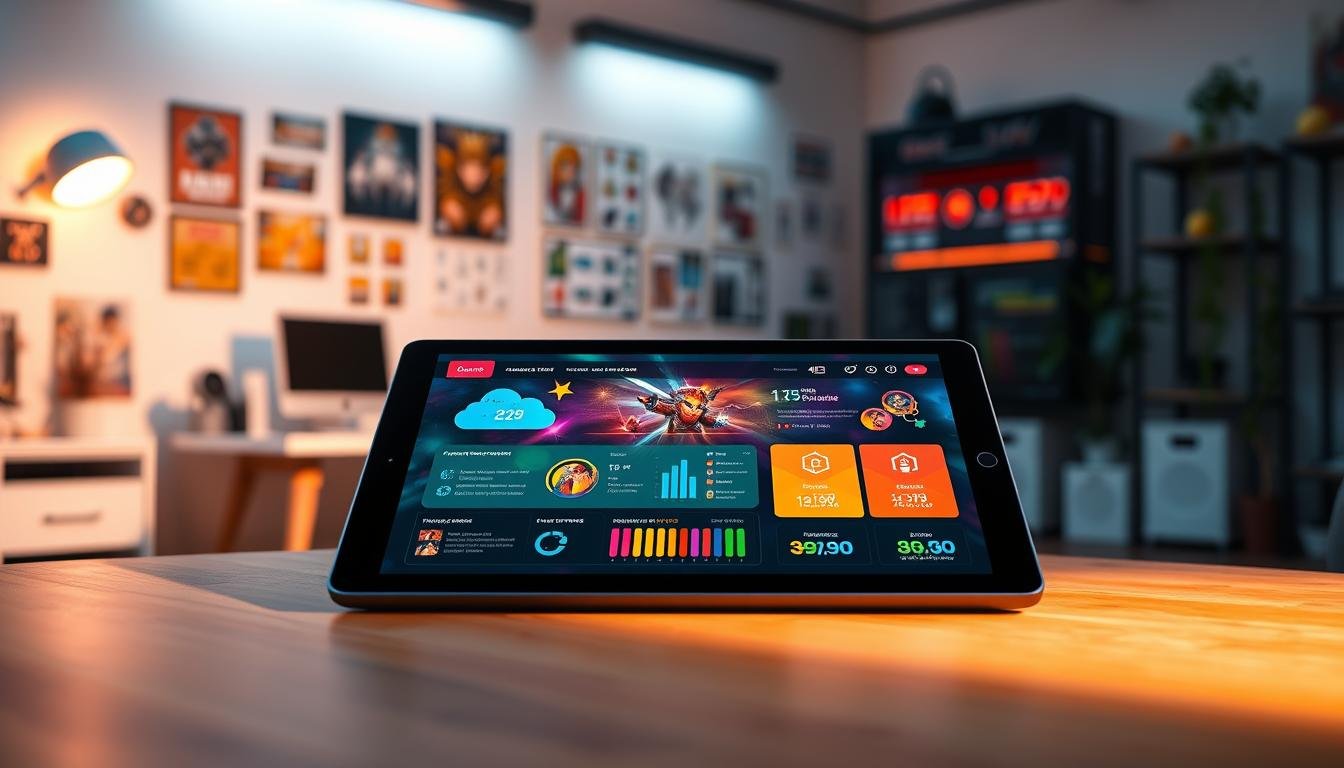
The rise of no-code platforms has transformed game creation. These tools empower creators without deep technical skills to bring their visions to life quickly. This accessibility is a significant leap forward for the industry.
However, this approach faces hurdles when ambitions grow. Moving from a prototype to a full-scale, professional product reveals inherent constraints. The very simplicity that makes these platforms appealing can become a barrier.
This analysis explores the transition point. We look at where visual development environments begin to struggle. Performance, deep customization, and complex monetization often require a different approach.
Understanding these challenges is crucial for making informed decisions. It helps teams choose the right path for their specific goals and resources.
Key Takeaways
- No-code tools excel at rapid prototyping and empowering non-programmers.
- Scaling a project to a professional level often exposes platform constraints.
- Performance and customization needs can outgrow visual builder capabilities.
- Commercial ambitions may necessitate a transition to traditional coding.
- Choosing a development path depends heavily on project scope and long-term goals.
Understanding No-Code Game Builders
Modern software creation now embraces approaches that bypass traditional programming requirements. These visual development environments empower creators to build interactive experiences through intuitive interfaces.
Visual builders operate on a simple principle: users assemble projects using pre-built components. Instead of writing complex scripts, creators drag and drop functional elements into their workspace. This approach eliminates the need for deep technical knowledge.
Definition and Core Principles
These platforms provide ready-made assets and logic systems. Users can configure character movements, game mechanics, and environmental interactions through visual menus. The underlying complexity remains hidden behind user-friendly controls.
Traditional development requires expertise in languages like C++ or C#. Visual tools abstract these technical demands. They enable focus on creative design rather than programming syntax.
Popular Platforms and Tools
Several established platforms serve this growing market. General-purpose tools like Bubble and Glide demonstrate the concept’s viability. Specialized options exist for 2D experiences, mobile titles, and browser-based projects.
These solutions typically include comprehensive asset libraries. Physics engines, character controllers, and UI components come pre-configured. Users customize appearances and behaviors without touching underlying code.
The approach has gained significant traction across creative industries. Visual development represents over 6% of the web creation market. This demonstrates substantial adoption by designers, educators, and entrepreneurs.
The Evolution of App Development: No-Code vs. Traditional Coding
The journey from complex programming languages to intuitive visual builders represents one of the most significant shifts in application development history. This transformation has fundamentally changed who can create software and how quickly they can bring ideas to life.
Historical Development Trends
Traditional software creation required specialized programming skills and extensive resources. Teams of experienced developers worked with languages like C++ and Java. Projects often took years to complete with substantial financial investment.
The early 2000s introduced game engines that simplified certain aspects. Tools like Unity and Unreal Engine made 3D rendering more accessible. However, these still demanded considerable technical knowledge.
True visual platforms emerged in the 2010s, offering drag-and-drop interfaces. These tools eliminated the need for writing complex code. They opened software creation to designers, entrepreneurs, and other non-technical creators.
Impact on Commercial Projects
Research shows companies using visual tools demonstrate 33% more innovation than competitors. These platforms have transformed development culture across industries. They enable rapid prototyping and faster market entry.
Studies confirm that visual development can reduce creation times by 50% to 90%. This dramatic efficiency gain changes project timelines fundamentally. Teams can test ideas and iterate much more quickly.
Gartner predicts that by 2026, 80% of visual tool users will come from outside IT departments. This represents a fundamental shift in software creation demographics. The implications for quality and scalability are significant.
| Aspect | Traditional Approach | Modern Visual Platforms | Impact |
|---|---|---|---|
| Required Skills | Advanced programming knowledge | Basic computer literacy | Democratized access |
| Development Time | Months to years | Weeks to months | Faster iteration |
| Team Composition | Specialized programmers | Mixed skill sets | Broader participation |
| Initial Investment | Substantial funding required | Minimal startup costs | Lower barriers to entry |
Limitations of No-Code Game Builders for Commercial Projects
Professional game development demands often exceed what visual programming interfaces can deliver effectively. While these tools excel at rapid prototyping, serious market ambitions reveal critical gaps.
Usability and Customization Challenges
Template-based systems work well for standard mechanics but struggle with unique features. Pre-built components limit distinctive visual styles and innovative gameplay systems.
Commercial titles require proprietary algorithms and custom shaders. These often fall outside template capabilities. The trade-off between ease of use and creative freedom becomes apparent.
Performance and Scalability Concerns
Backend inefficiencies create performance bottlenecks that impact user experience. Frame rate drops and slow loading times frustrate players and generate negative reviews.
Architectural constraints hinder long-term growth. Expanding features or supporting larger user bases becomes challenging. The underlying systems lack the flexibility scalability needed for commercial success.
Most visual environments restrict access to source code. This prevents optimization and platform migration as project requirements evolve.
Comparing No-Code and Low-Code Platforms
While both no-code and low-code platforms accelerate software creation, their underlying architectures serve distinct purposes. These development approaches represent different points on the automation spectrum.
Understanding their fundamental differences helps teams select the right tool for specific project requirements.
Target Audience and Use Cases
No-code solutions target business users with domain expertise but limited programming skills. These platforms enable rapid prototyping through visual configuration alone.
Low-code platforms serve professional developers seeking to avoid repetitive coding tasks. They maintain the ability to implement sophisticated custom features when needed.
Technical Requirements
No-code environments require virtually no coding knowledge. Users build functional applications through drag-and-drop interfaces and menu configurations.
Low-code platforms assume foundational programming understanding. Developers can extend functionality through custom code when pre-built components prove insufficient.
This technical flexibility makes low-code better suited for complex integrations and enterprise-scale applications.
Pros and Cons of No-Code Game Development
Visual development tools present a compelling trade-off between accessibility and capability that requires careful evaluation. These platforms democratize software creation while introducing specific constraints that affect long-term viability.
Key Advantages
The primary benefit lies in accessibility. Just about anyone can build software with these tools, regardless of coding knowledge. This opens app development to designers and entrepreneurs.
Speed represents another major advantage. With pre-written underlying code, users save time by dragging and dropping components. Projects reach market in weeks rather than months.
Cost efficiency makes these platforms attractive for smaller teams. Predictable subscription fees replace expensive developer salaries. This economic accessibility supports early-stage ventures.
Significant Drawbacks
Flexibility limitations create the biggest challenge. Many solutions trade usability for customization. This prevents implementing distinctive features that differentiate products.
Performance issues affect end users. Inefficient code bloat causes applications to run slower. This results in poor experiences and negative reviews.
Critical business concerns include vendor lock-in and lack of source code ownership. Teams cannot optimize their work or transition away easily. Projects may need complete rebuilding if they outgrow platform capabilities.
Challenges for Non-Technical Users in No-Code Platforms
Non-technical creators face a surprising paradox when using supposedly simple development tools. The very platforms designed to eliminate coding knowledge requirements introduce their own complex learning demands.
Learning Curve and Intuitive Interface Limitations
Drag-and-drop interfaces appear straightforward at first glance. However, users quickly discover that visual programming requires understanding game design concepts and logical thinking. The abstraction of complex systems into visual components creates a steep learning curve.
Debugging becomes particularly challenging for non-technical people. When applications malfunction, visual platforms offer limited error messaging. Traditional developers can examine underlying code, but visual tool users face opaque error systems.
Advanced features like conditional logic and data persistence strain intuitive interfaces. What works for simple prototypes becomes confusing when building sophisticated applications. The visual representation cannot clearly convey complex system interactions.
| Challenge Area | Impact on Non-Technical Users | Traditional Development Advantage |
|---|---|---|
| Platform-Specific Logic | Months of learning required | Transferable programming skills |
| Error Troubleshooting | Limited debugging tools | Direct code examination |
| Complex Feature Implementation | Visual interface constraints | Unlimited customization |
| Commercial Requirements | Obscured technical details | Direct implementation control |
The time investment needed to master these platforms reduces their speed advantage. Non-technical people building serious applications must develop platform-specific expertise that takes months to acquire.
Scalability and Flexibility: No-Code versus Traditional Coding
Scalability represents one of the most fundamental differentiators between hobbyist tools and industrial-strength development approaches. Traditional programming offers virtually limitless growth potential for applications that need to accommodate expanding user bases.
Customization Potential
Building from scratch with traditional methods provides complete creative freedom. Developers can implement any feature imaginable by writing custom code tailored to specific requirements.
This approach enables unique mechanics and proprietary systems that differentiate products in competitive markets. Teams working with visual platforms face constraints when attempting sophisticated customizations.
Backend and Performance Considerations
Traditional development produces cleaner, more efficient underlying code that can be optimized for speed. This results in smoother user experiences with consistent performance across different devices.
Applications built from scratch allow fine-tuning at the code level to minimize loading times and memory usage. The backend architecture supports long-term growth without compromising reliability.
Integration with Legacy Systems and Third-Party Tools
Integration capabilities separate hobbyist projects from enterprise-ready applications. Modern games require connections to numerous external services for functionality and monetization.
These platforms struggle with complex connectivity requirements. Commercial titles need robust API connections that visual tools cannot always provide.
Compatibility Issues
Closed architectures create significant barriers for developers. They face restricted API options and data format constraints.
Authentication protocols and security requirements often exceed platform capabilities. Enterprise systems demand custom solutions that visual environments cannot deliver.
Some code platforms allow custom code snippets for integration. However, this approach requires technical expertise that defeats the purpose of visual development.
Common connectivity challenges include:
- Limited API support for advertising networks
- Inability to connect with analytics tools
- Restrictions on cloud save services
- Problems with cross-platform progression systems
These issues compound as projects evolve. Traditional coding offers unlimited integration possibilities that visual platforms cannot match.
Best Use Cases for No-Code and Traditional Development Approaches
Smart project planning requires matching development tools to specific objectives. Visual platforms shine in particular scenarios while traditional coding proves essential for others. Understanding these distinctions helps teams allocate resources effectively.
MVPs, Landing Pages, and Web Apps
Visual development excels at creating minimum viable products quickly. Teams can test concepts and gather user feedback without extensive coding. This approach saves time and resources during early validation phases.
Landing pages represent another strong application. Promotional sites for upcoming releases benefit from rapid deployment. Bubble and Glide handle these web-focused tasks effectively.
Simple websites and companion applications work well within these environments. Community portals and marketing tools demonstrate practical use cases. The speed advantage makes visual tools ideal for time-sensitive projects.
Mobile App Challenges and Strategies
Mobile applications present significant hurdles for template-based solutions. Performance requirements and device fragmentation strain visual platforms. Touch optimization and battery efficiency demand custom solutions.
Strategic approaches include using visual tools for prototyping. Teams can validate concepts before committing to full development. Traditional coding then handles the final product.
Services like MobiLoud offer conversion options for web-based projects. However, complex gaming applications typically require specialized engines. The competitive mobile market demands polished, high-performance experiences.
Cost, Time, and Resource Considerations
The economic realities of software production significantly influence technology selection decisions. Teams must weigh financial constraints against project requirements when choosing their approach.
Budget allocation often determines which path becomes feasible. This analysis examines the financial and temporal factors affecting development choices.
Budget Efficiency in No-Code Solutions
Traditional programming requires substantial investment in skilled personnel. Experienced developers command high salaries reflecting their specialized training.
Visual platforms offer predictable subscription models instead of large upfront costs. This makes them accessible to smaller teams with limited capital.
The cost difference is dramatic. Custom-coded projects typically range from $75,000 to $350,000. Subscription-based solutions cost significantly less annually.
Rapid Time-to-Market Advantages
Speed represents another critical advantage for visual tools. Research shows they can reduce creation timelines by 50% to 90%.
Faster deployment enables businesses to capitalize on market opportunities quickly. Early launches generate revenue and user feedback sooner.
This accelerated timeline provides strategic benefits beyond mere cost savings. Teams can iterate based on real market response.
| Factor | Traditional Development | Visual Solutions | Business Impact |
|---|---|---|---|
| Initial Cost | $75,000 – $350,000 | Subscription-based | Lower barrier to entry |
| Development Time | Months to years | Weeks to months | Faster market response |
| Team Resources | Specialized developers | Mixed skill sets | Reduced hiring needs |
| Time-to-Market | Extended timelines | Rapid deployment | Competitive advantage |
The choice between approaches involves balancing immediate savings against long-term needs. Each business must evaluate its specific circumstances.
Real-World Examples and Success Stories
Documented experiences from production teams offer valuable lessons about tool selection strategies. These examples highlight both successful implementations and cautionary tales.
Notable Case Studies
Website creation platforms demonstrate significant market penetration. Wix and Squarespace account for over 6% of the CMS market share. This represents millions of active websites built without traditional coding.
Services like MobiLoud convert web projects into native mobile applications. This approach requires zero programming knowledge. It shows how visual tools can support broader digital strategies.
Research from McKinsey reveals compelling innovation metrics. Companies using these platforms demonstrate 33% more innovation than competitors. This advantage comes from faster experimentation cycles.
Lessons Learned from Commercial Projects
Successful implementations share common characteristics. They maintain realistic scope expectations and leverage platform strengths effectively.
| Success Factor | Successful Implementation | Unsuccessful Attempt |
|---|---|---|
| Project Scope | Focused, well-defined features | Overly ambitious requirements |
| Team Composition | Mixed technical and creative skills | Limited platform expertise |
| Performance Planning | Realistic technical expectations | Ignoring platform constraints |
| Monetization Strategy | Platform-compatible revenue models | Complex payment integrations |
The most effective teams use visual tools for validation. They build prototypes to test concepts before committing to full development. This approach minimizes risk while maximizing learning.
Conclusion
The democratization of software creation through visual tools has reshaped how projects begin, but not necessarily how they succeed at scale. This analysis reveals that visual platforms offer undeniable benefits for specific applications while facing inherent constraints in demanding environments.
For prototyping and simple applications, these solutions provide remarkable speed and accessibility. They empower creators without deep technical backgrounds to bring ideas to life quickly. This represents a significant advancement in development accessibility.
However, serious business ambitions often require capabilities beyond template-based systems. Performance demands, customization needs, and integration requirements typically necessitate traditional code approaches. The choice between methods depends entirely on project scope and long-term goals.
Successful teams often employ hybrid strategies, leveraging each approach’s strengths at different project stages. Understanding these dynamics enables smarter technology decisions that align with specific commercial objectives.
FAQ
What are the main performance and scalability concerns with no-code game builders?
Can I build a full-featured mobile app using a no-code tool?
How do no-code platforms handle integration with third-party tools and legacy systems?
Are no-code builders suitable for creating a Minimum Viable Product (MVP)?
What is the learning curve like for non-technical users on these platforms?
When should a business consider switching from a no-code solution to custom code development?

Game developer with over 10 years of professional experience specializing in the mobile sector. George’s journey began with a passion for indie development, leading him to contribute to several successful mobile titles, including the critically acclaimed puzzle-platformer ChronoShift and the top-down strategy game Pocket Empires.