Starting your journey with Unity development brings exciting possibilities. The engine’s flexibility lets creators build amazing interactive experiences. However, this freedom requires careful planning from the very beginning.
Many developers dive into building without establishing proper foundations. They quickly encounter challenges as their work grows in complexity. Projects become difficult to manage, scale, and debug when organization is overlooked.
This guide addresses structural issues that can derail your progress. We’ll explore practical solutions based on real developer experiences. Understanding these principles early establishes habits that save time throughout your career.
Whether you’re creating your first interactive experience or moving beyond tutorials, this knowledge helps. You’ll build more maintainable and professional results. Our approach makes complex concepts accessible without overwhelming technical jargon.
Key Takeaways
- Proper project organization from the start prevents future complications
- Unity’s flexibility requires conscious structural decisions
- Early establishment of good habits saves significant development time
- Structural issues affect maintainability, scalability, and debugging efficiency
- Real-world developer experiences inform practical solutions
- These principles apply to creators at various skill levels
- Actionable insights help build more professional interactive experiences
Effective Project Organization and Folder Management
The architecture of your Unity workspace significantly impacts development efficiency. Proper structure from the beginning saves valuable time and prevents confusion as your work grows.
Establishing clear organization patterns early creates a foundation for smooth workflow. This approach makes locating resources straightforward throughout the entire creation process.
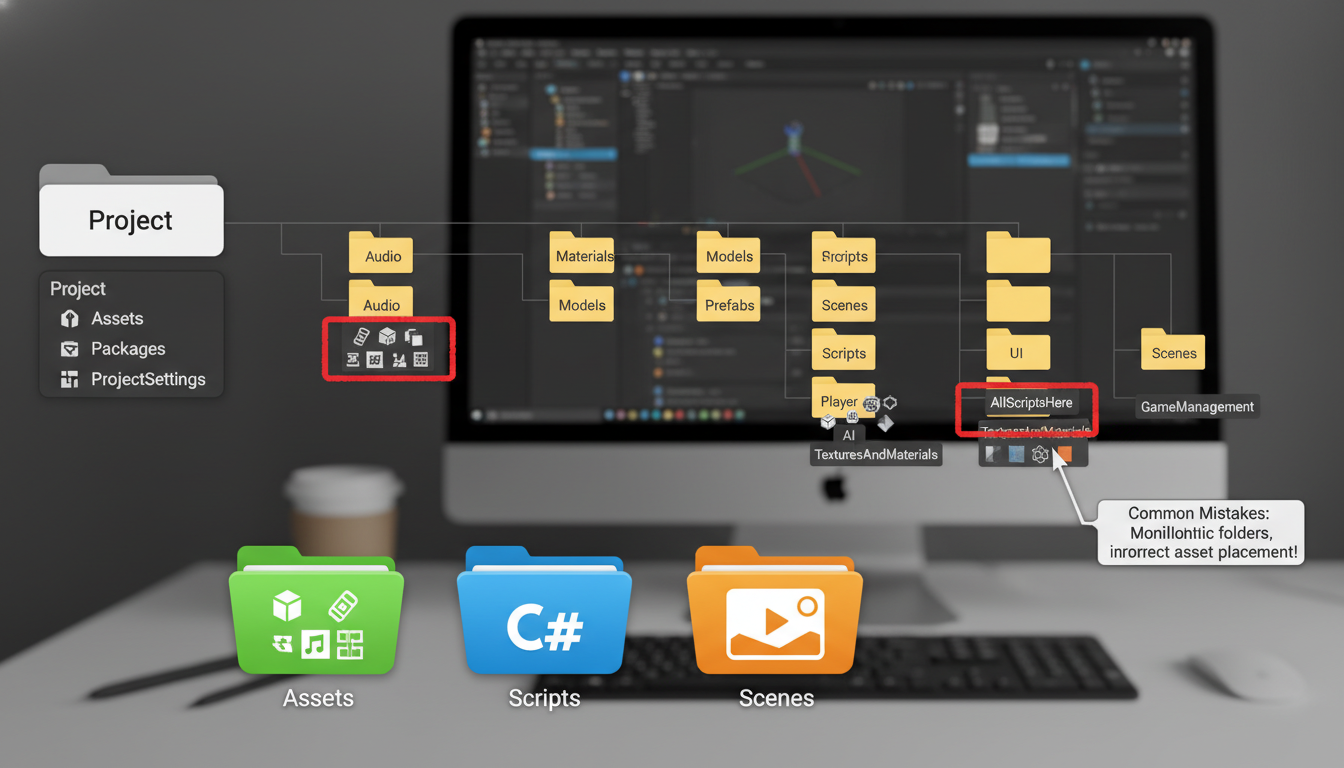
Creating a Logical Folder Structure
Begin with main categories like Scripts, Prefabs, and Materials. These core divisions help maintain order as you add more content to your project.
Consider creating subfolders based on specific features or systems. This method keeps related assets together while preventing clutter in your main directories.
Avoid deeply nested folders that make frequently used items hard to access. Keep essential resources within two or three levels for quick navigation.
Establishing Consistent Naming Conventions
Clear naming helps everyone understand asset purposes immediately. Descriptive labels like “Player_Jump_SFX” work better than vague terms like “sound1”.
Consider using prefixes to identify file types at a glance. This simple technique accelerates the search process when you need specific resources.
Document your naming standards for team reference. Consistency across all assets ensures everyone follows the same organizational way.
Optimizing Update Methods and Physics Calls
Proper timing of operations separates amateur implementations from professional ones. The frequency at which your logic executes directly impacts application responsiveness.
Many developers place all functionality inside the Update method. This approach creates unnecessary overhead for operations that don’t require frame-by-frame execution.
Using FixedUpdate and Coroutines Effectively
Physics calculations demand consistent timing for predictable behavior. The FixedUpdate method runs at regular intervals aligned with the physics engine.
This ensures stable movement and collision detection across different hardware. Coroutines offer excellent alternatives for delayed actions and timed sequences.
They execute over multiple frames with built-in wait functionality. This approach works perfectly for cooldown timers and procedural animations.
Avoiding an Overloaded Update Loop
Cluttered Update methods create performance bottlenecks. Separate input detection from actual game logic execution.
Use event systems or state machines instead of conditional checks every frame. Initialize expensive operations during object creation rather than runtime.
Monitor your code using Unity’s Profiler tool. Identify methods consuming disproportionate processing time for optimization.
| Method Type | Execution Frequency | Best Use Cases | Performance Impact |
|---|---|---|---|
| Update | Every frame | Input handling, UI updates | High if overloaded |
| FixedUpdate | Fixed intervals (0.02s default) | Physics calculations, rigidbody movement | Consistent across devices |
| Coroutines | Custom timing | Delayed actions, animations, sequences | Efficient for timed operations |
Leveraging Prefabs for Efficient Development
Unity’s prefab system transforms how developers create reusable content templates. These powerful assets store complete GameObject configurations for instant replication throughout your work.
Creating a prefab involves dragging any GameObject to your assets folder. This generates a template that maintains all component settings and property values.
Understanding the Benefits of Prefabs
Prefabs provide significant time savings when populating scenes with similar objects. Each instance inherits the original’s properties while allowing individual position adjustments.
Changes to the base asset automatically propagate to all derived instances. This ensures consistency across multiple scenes without manual updates.
Managing Scene Reusability with Prefabs
When working across different levels, prefabs maintain visual and functional consistency. A single update to your character controller affects every scene using that asset.
Exercise caution when applying instance modifications back to the original template. This action updates all connected objects throughout your project.
| Prefab Type | Primary Function | Best Applications | Modification Impact |
|---|---|---|---|
| Base Prefab | Master template creation | Standard enemies, core UI elements | Affects all instances globally |
| Prefab Instance | Individual object placement | Scene-specific object variations | Local changes only |
| Prefab Variant | Specialized template derivation | Enemy variations, weapon tiers | Controlled inheritance system |
Proper prefab usage establishes efficient workflows for projects of any scale. This approach reduces redundancy while maintaining flexibility.
Common Mistakes in Small Unity Game Projects
Many creators encounter preventable hurdles during their initial development phases. These challenges often stem from fundamental misunderstandings about sustainable workflows.
Overambitious scope represents a frequent stumbling block. Beginners sometimes attempt complex designs without adequate experience.
Identifying Structural Pitfalls in Unity
Scope creep derails many promising endeavors. Developers add features without considering integration challenges.
Another structural issue involves reinventing existing solutions. The engine provides robust systems for common tasks.
Researching built-in functionality saves significant development effort. This approach prevents redundant coding work.
Best Practices to Prevent Recurring Errors
Establish consistent coding standards from the beginning. This practice maintains codebase clarity throughout development.
Documentation provides invaluable guidance for complex systems. Unity’s learning resources address many typical challenges.
Seek early feedback to validate design decisions. This prevents extensive rework on flawed mechanics.
Clear project goals establish direction for all development efforts. They ensure every feature supports the core experience.
Enhancing Performance through Code Optimization
Smooth runtime behavior depends heavily on thoughtful code architecture and resource management strategies. Building responsive applications demands careful planning around computational efficiency from the earliest development stages.
Implementing Object Pooling and Efficient Coding
Object pooling dramatically improves performance when working with frequently created and destroyed elements. This technique reuses existing objects instead of constantly generating new ones.
Caching component references during initialization prevents expensive lookup operations during runtime. Store these references in Awake or Start methods rather than repeating FindObjectOfType calls.
Physics calculations benefit from appropriate collider selection. Simple box or sphere colliders often work better than complex mesh alternatives. Choose the right tool for each specific situation.
Utilizing the Unity Profiler to Improve Performance
The Unity Profiler provides essential insights into application behavior. This tool identifies CPU bottlenecks and memory allocation patterns that impact responsiveness.
Regular profiling sessions help pinpoint optimization opportunities before they become critical issues. Address performance concerns early to avoid extensive rework later in the development cycle.
Texture and model optimization requires balancing visual quality with practical constraints. Consider object visibility and distance when determining appropriate detail levels for your assets.
Implementing Version Control and Proper Documentation
Version control systems provide essential protection against irreversible changes during creative exploration. These tools create safety nets that let developers experiment freely without risking stable builds. The ability to backtrack to working states saves significant development time when issues arise.
Establishing version control early in the creation process preserves your entire work history. This approach allows tracking system evolution and identifying when problems were introduced. Multiple branches support feature development alongside stable releases.
Choosing the Right Version Control System
Git remains the industry standard with powerful branching and platform integration. It works seamlessly with services like GitHub for collaboration and backup. Developers appreciate its distributed nature and robust capabilities.
Unity’s built-in version control offers game-specific features like visual scene merging. Asset locking prevents conflicts during team development. This system integrates directly with the editor for beginner-friendly operation.
Documenting Code and Project Structure for Future Reference
Clear documentation transforms complex scripts into maintainable software. Descriptive variable names like “_playerHealthBar” communicate purpose instantly. This practice reduces confusion when returning to code months later.
XML comments using triple slashes provide IntelliSense integration in IDEs. They display helpful tooltips when referencing methods from other files. Document every method’s purpose and parameters for team efficiency.
Maintain a README file explaining your folder structure and naming conventions. This document serves as onboarding material and personal reference. Include architectural decisions and build processes for complete context.
Navigating the Unity Editor: Tools and Techniques
The Unity editor contains a wealth of built-in functionality that can dramatically accelerate your development workflow when properly utilized. Many creators overlook these powerful features, spending unnecessary time recreating systems that already exist.
Exploring Built-in Tools and the Asset Store
Unity’s extensive toolset includes everything from animation controllers to physics materials. The Asset Store offers thousands of ready-made solutions that can save weeks of development effort.
Custom inspectors and scene view tools eliminate repetitive manual tasks. Keyboard shortcuts and window layouts optimize your daily workflow for maximum efficiency.
Avoiding Common Editor Pitfalls and Inconsistencies
Many technical issues originate from editor configuration rather than code problems. Incorrect component assignments or layer settings can prevent scripts from executing correctly.
Always verify you’re using the appropriate 2D or 3D components for your workflow. GameObject scaling inconsistencies often cause unexpected physics behavior that appears buggy.
| Editor Tool | Primary Function | Workflow Impact | Learning Curve |
|---|---|---|---|
| Inspector Window | Component configuration | High – daily use | Low – intuitive |
| Asset Store | Resource acquisition | Medium – project phases | Medium – search skills |
| Scene View | Visual layout | High – continuous | Medium – navigation |
| Custom Editors | Workflow automation | High – time savings | High – scripting required |
Conclusion
Professional workflows built on solid foundations enable creators to maintain momentum through complex development cycles. The principles discussed in this article provide a roadmap for sustainable growth as a unity developer.
Keep these organizational strategies in mind throughout your creative journey. They transform chaotic efforts into structured processes that scale effectively. This approach saves significant time and prevents frustration.
Every project offers learning opportunities that build professional competence. The difference between abandoned concepts and completed works often comes down to disciplined practices. Established habits pay dividends across multiple creations.
Return to this reference point whenever you face structural challenges. Even experienced unity developers benefit from reminders about efficient workflows. These foundations support successful game development at any scale.
FAQ
What is the most important first step for organizing a new Unity project?
Why is my game’s performance slow even with simple graphics?
How can I avoid duplicating work when building multiple levels or scenes?
What is a common coding mistake that beginners make in Unity?
Is version control necessary for a small, solo project?
What is one Unity Editor feature that is often underutilized?

Game developer with over 10 years of professional experience specializing in the mobile sector. George’s journey began with a passion for indie development, leading him to contribute to several successful mobile titles, including the critically acclaimed puzzle-platformer ChronoShift and the top-down strategy game Pocket Empires.