The video game industry continues its remarkable expansion, with projections showing the market reaching $268.8 billion by 2025. This growth creates exciting opportunities for creative professionals who want to participate in interactive entertainment.
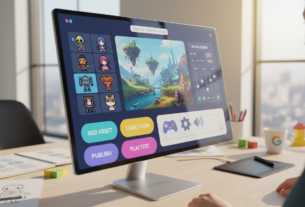
Modern development platforms have transformed how interactive experiences are built. These tools eliminate the traditional need for extensive programming knowledge. Instead, they offer intuitive drag-and-drop interfaces that prioritize creative vision over technical complexity.
This evolution represents a fundamental shift in content creation. Storytellers, brands, and independent creators can now bring their imaginative worlds to life. The barrier to entry has significantly lowered thanks to these accessible platforms.
User interface animations serve as a critical component for player engagement and project polish. Sophisticated visual effects that once required coding expertise are now achievable through simplified solutions. This guide explores practical approaches for enhancing interactive projects with professional-quality motion design.
Key Takeaways
- The gaming market shows explosive growth, creating opportunities for non-technical creators
- Modern development tools have democratized interactive content creation
- Drag-and-drop interfaces allow focus on creative vision rather than syntax
- UI animations significantly enhance player engagement and project quality
- No-code solutions make sophisticated animation implementation accessible
- Understanding current tools establishes foundation for effective animation strategies
Overview of the No-Code Game Development Landscape
Visual-first development platforms have reshaped how digital experiences are constructed from concept to completion. These innovative environments eliminate traditional barriers that once separated creative vision from technical execution.
Market Trends and Accessibility
The current landscape offers comprehensive software solutions that maintain professional-grade capabilities. These platforms provide intuitive graphical interfaces instead of text-based programming.
Accessibility represents the most significant advantage of modern development tools. Individuals without technical backgrounds can now bring interactive projects to life through drag-and-drop functionality.
These engines support multiple genres and deployment targets with remarkable flexibility. The cost-effectiveness eliminates expensive programmer hiring while accelerating project timelines.
This shift reflects broader technology trends emphasizing user experience. Educators, marketers, and independent creators worldwide now have viable pathways into interactive media creation.
The Evolution of No Code Game Animations
Visual development environments have evolved substantially in their approach to dynamic content. Early platforms offered basic functionality that limited creative expression. Today’s tools provide sophisticated systems rivaling traditional development methods.
From Drag-and-Drop to Advanced Customization
The journey began with simple sprite manipulation and timeline editors. These initial systems allowed creators to move elements without programming knowledge. Over the years, capabilities expanded dramatically.
Modern platforms now feature state machines and event-driven logic. This progression represents a fundamental shift in interactive design. Creators can build complex sequences that respond to user input.
Innovation in Game Development Technologies
Technological advancement has accelerated the way engines handle motion. Real-time rendering and physics integration were once exclusive to coded solutions. Now these features are accessible through visual interfaces.
The gaming industry benefits from this democratization of tools. Timeline-based editors and tweening systems provide granular control. This evolution demonstrates how visual platforms maintain professional standards while prioritizing accessibility.
Top No-Code Game Engines & Tools for UI Animations
Various engines provide unique approaches to implementing dynamic user interface elements. Each platform offers distinct advantages tailored to different project requirements and creator skill levels.
GDevelop and Construct 3 Highlights
GDevelop stands out as an open-source solution with comprehensive features for 2D and 3D creation. The platform’s event-based logic system eliminates programming requirements while providing extensive pre-built behaviors.
Construct 3 delivers browser-based development with over 100,000 templates. This approach makes it exceptionally accessible for creating mobile experiences and web-based projects.
Unity, GameMaker Studio 2, and RPG Maker Insights
Unity’s Visual Scripting transforms the industry-leading engine into a visual development environment. It leverages Unity’s massive asset store containing pre-made objects and environments.
GameMaker Studio 2 bridges the gap between visual and traditional development. RPG Maker specializes in role-playing creation with pre-built mechanics and turn-based systems.
Emerging Platforms like Rive and Rosebud
Rive revolutionizes interface motion with its State Machine-driven approach. It delivers real-time vector graphics rendering with unprecedented performance.
Rosebud represents the AI-powered creation category. This platform allows describing concepts in natural language to rapidly generate interactive experiences.
UI Animation Features & Technical Capabilities
The underlying technology powering modern visual development tools provides creators with professional-grade animation features previously reserved for programmers. These platforms combine sophisticated rendering systems with intuitive interfaces that handle complex motion mechanics.
Advanced technical capabilities form the foundation for creating compelling interactive experiences. The integration of multiple systems ensures smooth performance across different devices.
Real-Time Rendering and Physics Engines
Real-time processing represents a cornerstone of contemporary development environments. This technology enables immediate visual feedback as creators adjust parameters and preview results.
Integrated physics simulation adds realistic movement patterns to interface elements. Buttons and menus can respond with natural behaviors like elasticity and gravity.
Tweening systems provide smooth interpolation between animation states. These features create polished transitions that enhance user engagement.
Pre-Built UI Components & Visual Scripting
Pre-fabricated interface elements significantly accelerate development workflows. Ready-to-use components include buttons, sliders, and progress bars with built-in animation logic.
Visual scripting systems replace traditional programming with intuitive node-based interfaces. Creators can define complex behaviors by connecting triggers and actions.
State machine architecture organizes different interface states and transitions. This approach maintains consistency while allowing dynamic responses to user input.
Event-driven logic enables components to react to specific game events. Data binding connects visual elements directly to underlying system variables for real-time updates.
Choosing the Right Platform for Your Game Projects
Platform choice represents one of the most critical decisions creators face when embarking on interactive project development. This selection process involves evaluating multiple factors that directly impact your creative workflow and final product quality.
Ease of Use & Community Support
Beginner-friendly options like Construct 3 and Stencyl offer gentle learning curves for those new to interactive creation. These environments prioritize intuitive interfaces that minimize technical barriers.
Community support serves as a vital resource throughout your development experience. Active user bases provide troubleshooting assistance, asset sharing, and collaborative problem-solving. This ecosystem accelerates project success through shared knowledge.
Pricing, Scalability, and Cross-Platform Integration
Pricing models vary significantly across different engines. Options range from free open-source solutions to subscription-based platforms and one-time purchases. Consider your budget constraints and long-term financial planning.
Scalability determines whether your chosen environment can grow with your ambitions. The best platforms support increasingly complex projects without requiring migration. Cross-platform capabilities affect your project’s potential reach across multiple devices.
Technical support availability differs between commercial and open-source solutions. Evaluate your comfort level with coding requirements when selecting tools for specialized features. The right balance ensures smooth development throughout the year.
Integrating and Customizing UI Animations for a Seamless Experience
The integration of comprehensive asset collections transforms the development workflow for interactive projects. These resources provide creators with professional-grade components that maintain quality while accelerating production timelines.
Asset Libraries and Customizable Templates
Asset libraries serve as invaluable resources for creators, offering pre-built interface components and design elements. These collections dramatically reduce development time while ensuring professional standards.
Unity provides a massive asset store with thousands of pre-made objects and environments. The platform offers both free community assets and premium professional resources.
GDevelop features extensive behavior libraries with hundreds of ready-made logic pieces. These can be applied to interface elements through simple drag-and-drop implementation.
Construct 3 delivers over 100,000 project templates as starting frameworks. These examples serve as educational resources for web and mobile experiences across various genres.
Rive’s collaborative editor combines asset creation with state machine logic in one environment. This integration enables designers to work together on interface elements as part of the overall experience.
Customization flexibility remains essential when using pre-built assets. Leading platforms provide parameter adjustment and behavioral tweaking that transforms generic templates into unique branded experiences.
Practical Use Cases and Success Stories in No-Code Animation
Real-world implementations demonstrate the tangible impact of visual development tools across diverse industries. Major companies have transformed their digital experiences through accessible platforms.
Case Studies from Mobile and Web Games
Duolingo’s implementation showcases how educational app developers leverage visual tools. They maintain an ever-growing library of animated assets across their platform.
The State Machine system helps scale creative work effectively. It bridges the gap between designers and technical teams in previously inaccessible ways.
Dropbox discovered entirely new modes of interactivity through these solutions. Their experience demonstrates capabilities that wouldn’t be possible through conventional approaches.
User Reviews and Testimonials
Simpleclub’s educational platform fundamentally changed their content creation process. They support explanations with vivid, interactive visual elements that improve learning.
Users consistently praise the revolutionary nature of modern tools. Designers describe feeling unrestricted by technical limitations when building imaginative projects.
VietJet Air highlights the exceptional graphic quality achieved through advanced vector rendering. Their airline app benefits from super sharp, high-quality visuals.
Innovative Projects Driving the Future
Success stories span diverse industries beyond traditional entertainment. Language learning platforms, cloud services, and educational technology all benefit.
Early access platforms continue evolving accessible development technology. AI-assisted design represents the next frontier in creative tools.
The way creators approach digital experiences has fundamentally transformed. These solutions support everything from simple prototypes to sophisticated commercial releases.
Conclusion
The democratization of interactive creation represents a pivotal shift in digital media production. Modern development platforms eliminate traditional technical barriers that once limited participation.
Today’s diverse ecosystem of engines ensures suitable tools exist for every project vision. Creators can achieve professional results matching traditionally coded solutions.
Community support and extensive resources accelerate learning curves for newcomers. These networks provide collaborative environments that foster project success.
Continued tech evolution promises even greater accessibility in coming years. The gap between visual and traditional development continues narrowing significantly.
This transformation enables unprecedented creative expression across the industry. Diverse voices now contribute unique perspectives through accessible development tools.
FAQ
What are the main benefits of using a no-code engine for UI animations?
Can I create complex animations with tools like GDevelop or Construct 3?
How do I choose the right platform for my mobile or web project?
Are there pre-built assets available to speed up the design process?
Is it possible to publish a game on multiple app stores using these engines?
What kind of support can I expect from the developer community?

Game developer with over 10 years of professional experience specializing in the mobile sector. George’s journey began with a passion for indie development, leading him to contribute to several successful mobile titles, including the critically acclaimed puzzle-platformer ChronoShift and the top-down strategy game Pocket Empires.