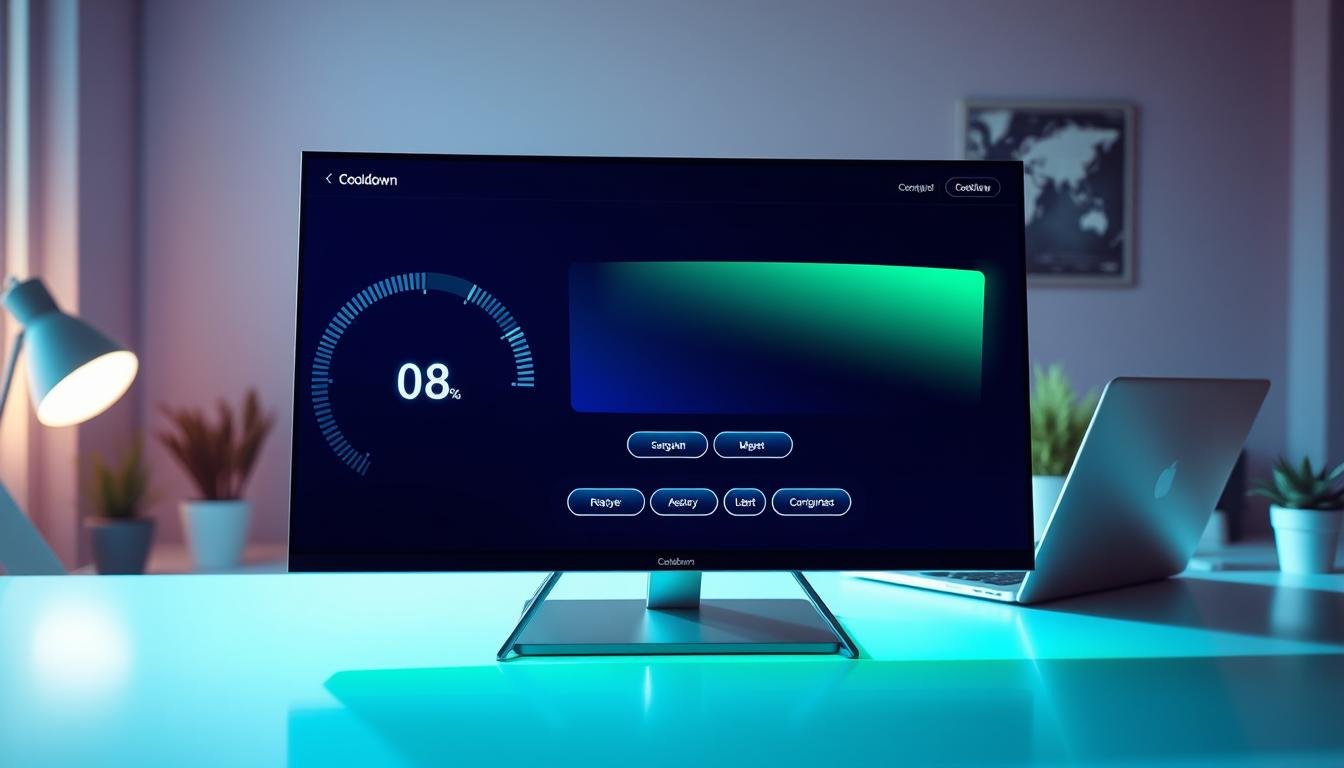
In today’s interactive entertainment landscape, timing mechanics play a crucial role in player engagement. These visual countdown elements serve as the essential bridge between user actions and virtual world feedback. They directly impact how people experience digital adventures.
Effective timing indicators are more than simple visual cues. They represent fundamental mechanics that communicate ability availability and strategic planning. Players rely on these systems for real-time decision making during intense moments.
A well-crafted timing system enhances user involvement by providing clear, immediate feedback. This makes every action feel significant within the virtual environment. The challenge lies in balancing information delivery with visual clarity.
This comprehensive guide explores principles and best practices for creating effective timing interfaces. We’ll examine step-by-step processes and real-world examples. Mastering these elements is critical for user retention in competitive markets.
Key Takeaways
- Timing mechanics serve as the critical link between player actions and game world responses
- Effective countdown systems communicate strategic information in real-time
- Clear visual feedback enhances player engagement and satisfaction
- Balancing information clarity with screen aesthetics prevents interface clutter
- Responsive timing design significantly impacts user retention rates
- Industry-leading interfaces require careful planning and execution
- Modern gaming demands polished timing systems for competitive advantage
Understanding the Importance of Cooldown UI in Game Design
Strategic information delivery through visual countdown mechanisms serves as the backbone of engaging interactive systems. These elements provide crucial data about ability availability without interrupting the action flow. They represent a critical aspect of modern interactive experiences.
Clear timing indicators transform chaotic moments into meaningful strategic decisions. Players rely on this immediate feedback to feel connected to their character’s actions.
Impact on Player Engagement
Well-implemented countdown systems significantly boost user involvement. When players receive clear, immediate feedback about ability status, they develop greater control over their actions. This connection leads to higher satisfaction levels and extended play sessions.
The global interactive entertainment market projects massive growth, reaching $556 billion by 2030. Superior user experience through polished interface elements provides competitive advantage in capturing market share.
Role in Enhancing Gameplay Experience
Effective visual countdowns reduce cognitive load by allowing quick status checks. Players can process ability information at a glance instead of navigating complex menus. This seamless integration keeps users immersed in the game world.
Consistent, readable feedback helps players develop mastery and skill progression. They learn ability timing and build muscle memory for complex rotations. Responsive systems prevent frustration around health and resource management during intense moments.
Principles of Responsive Game UI Design
Effective visual communication in digital environments hinges on three core design pillars. These principles ensure players understand system responses without interrupting their experience. They form the foundation of successful interactive systems.
Clarity and Consistency
Clear visual elements communicate function instantly. Players should never guess what a button does. Universal conventions reduce cognitive effort during intense moments.
Consistency builds trust across the entire interface. When visual language remains uniform, users develop muscle memory. This approach creates predictable interactions throughout the system.
Effective Feedback Mechanisms
Every user action requires immediate confirmation. Visual, auditory, or haptic responses maintain engagement. Without proper feedback, players feel disconnected from their actions.
Responsive design means instant acknowledgment of interactions. Buttons should provide clear signals when activated. This immediate response preserves the connection between intent and outcome.
The right balance between information and simplicity enhances gameplay. Effective design elements support rather than obstruct the experience. This careful approach creates seamless user interactions.
Integrating Cooldown Elements within the Game HUD
The Heads-Up Display serves as the central information hub where timing elements must coexist with other critical data. This integration requires strategic positioning that allows players to monitor ability status without blocking their view of the action. Corners often work best for these elements since they’re easy to glance at quickly.
Visual Hierarchy of UI Components
Frequently-used abilities deserve prominent placement on the screen. Situational abilities can occupy secondary locations. This approach creates a logical flow that helps players process information efficiently.
Timing indicators should complement other HUD components like health bars and resource meters. Consistent sizing and spacing prevent visual competition between elements. A cohesive layout ensures all information works together harmoniously.
Dynamic Visual Feedback
Subtle effects like pulsing animations or color transitions provide clear signals when abilities become available. These dynamic responses create immediate visual feedback that draws attention at crucial moments.
Transparency settings allow elements to adapt to different gameplay situations. Indicators can become more prominent during combat and fade during exploration. This adaptive approach reduces clutter when precise timing isn’t critical.
Context-aware systems show detailed countdowns during intense action but simplify to basic states during casual moments. This layered information approach helps players make quick decisions while offering deeper data when needed.
Cooldown UI Design Games: Best Practices and Innovative Techniques
Timing indicator development represents a unique discipline balancing functional clarity with aesthetic integration. This specialized field requires deep understanding of how players process information during intense moments.
Incorporating Game Mechanics with Visual Cues
Diegetic integration weaves timing elements directly into the game world. Characters might interact with physical countdown devices that exist within the narrative. This approach creates seamless immersion where feedback feels like a natural part of the experience.
Visual clarity remains paramount across all timing systems. Ability icons should be instantly recognizable even during chaotic action. Color coding helps distinguish available skills from those currently recharging.
Different genres demand distinct visualization approaches. Fast-paced action titles need prominent indicators visible at a glance. Strategic games can utilize more detailed numerical countdowns since players have additional decision time.
Innovative feedback techniques enhance player awareness through multiple senses. Audio cues provide distinctive sounds when abilities become available again. Haptic feedback through controller vibrations creates physical confirmation of timing status.
Thematic visual treatments reinforce character identity and world immersion. Magical abilities might display ethereal swirling effects during their recharge period. Technological skills could show holographic projections counting down their availability.
Step-by-Step Process for Designing Cooldown Timers
Creating effective timing indicators requires a structured approach that begins with understanding player needs. Teams must analyze core mechanics to determine optimal timer placement and information density.
The research phase identifies what different audiences require from timing systems. Competitive players often need precise numerical text while casual users prefer simple progress bars.
Wireframing establishes the foundation using basic shapes to map element placement. Designers position timing indicators relative to health bars and ability buttons for optimal visibility.
Visual treatment experimentation explores circular progress indicators, linear bars, and icon overlays. Each approach undergoes evaluation for responsiveness within the specific game system.
Interactive prototyping brings concepts to life with animated transitions. Tools like Figma help test how smoothly timers count down and communicate availability.
Implementation requires close designer-developer collaboration to integrate timing systems into game engines. Real-time updates must occur without performance issues or visual glitches.
User testing provides crucial feedback on timer clarity and functionality. Observing actual gameplay reveals confusion points and visibility issues needing refinement.
Successful timing systems work holistically with character actions and resource management. They feel like natural extensions of the gameplay experience rather than separate elements.
Researching and Wireframing Your Game UI
Successful interface development starts with deep audience understanding before any visual work begins. This foundational phase determines whether players will find the system intuitive or frustrating during gameplay.
User Research Strategies
Comprehensive research begins with developing detailed player personas. Teams identify whether their audience consists of competitive enthusiasts, casual mobile users, or story-focused participants.
Effective methods include direct interviews about existing timing systems people use. Observational studies reveal how players interact with similar titles in the same genre. Competitive analysis examines successful approaches from leading titles.
Research must answer critical questions about information priority. Designers determine what timing data users need most urgently during action sequences. Environmental factors like screen size and viewing distance significantly impact visibility.
Importance of Low-Fidelity Wireframes
Low-fidelity wireframes serve as the architectural foundation for player interfaces. These basic sketches use simple shapes to map spatial relationships between elements.
Wireframing enables rapid iteration and team collaboration without aesthetic distractions. Designers test multiple layout concepts quickly, positioning timing indicators in various screen locations. This approach evaluates information hierarchy before investing in detailed visual work.
Best practices include establishing consistent grid structures and defining size relationships. Planning accommodates different game states like combat versus exploration. The process ensures seamless integration from menus through active gameplay where timing information becomes critical.
Effective wireframing considers the entire user journey within the game world. Teams decide whether indicators should appear as prominent overlays or integrate diegetically into the environment. This early planning creates interfaces that feel natural rather than obstructive.
Prototyping and Testing Responsive Cooldown Interfaces
Building responsive countdown systems requires moving beyond static mockups into functional prototypes. This phase transforms theoretical concepts into testable experiences that reveal how players will interact with timing mechanics.
Developing Interactive Prototypes
Tools like Figma enable creation of high-fidelity simulations that mirror final product behavior. These prototypes include animated transitions between states and respond to button presses realistically.
Effective prototypes embed timing indicators within simulated gameplay scenarios. This approach ensures testers experience the system the same way actual players will during action sequences. All critical interactions must be represented from ability activation to menu navigation.
Conducting Usability Testing
Structured testing sessions assign specific tasks like executing ability rotations during combat scenarios. Observers note where the interface succeeds or fails to provide clear feedback to users.
Testing reveals usability issues through player hesitation or repeated glancing at indicators. A/B testing methodologies resolve design debates by comparing different visualization approaches with separate player groups.
The process evaluates performance across skill levels, ensuring novice players understand basic mechanics while experts access detailed timing information. This iterative cycle progressively enhances responsiveness through continuous refinement.
Customizing UI Elements for Diverse Game Genres
Genre conventions dictate distinct approaches to timing indicator implementation across different interactive experiences. Each category presents unique challenges based on gameplay pace and information density.
Role-playing experiences demand organized ability bars with clear visibility for rotation planning. These systems must integrate seamlessly with complex character stats and resource management within the game world.
Genre-Specific Considerations
First-person shooters require minimal screen real estate with maximum clarity. Players need to maintain situational awareness during fast-paced action sequences.
Strategy titles feature timing systems operating at different scales simultaneously. Tactical abilities might count down in seconds while strategic resources require minute-long cycles.
Multiplayer online battle arenas present sophisticated tracking requirements. Participants must monitor their own ability cycles while tracking teammate and opponent timing information.
Mobile platforms demand larger touch targets and simplified visual treatments. These systems must work flawlessly on smaller screens with intuitive touch controls.
Massively multiplayer online games blend complexity with customization needs. Players manage dozens of abilities across multiple action bars during coordinated group activities.
Action-RPG hybrids demonstrate how systems can serve both strategic depth and immediate responsiveness. These experiences require careful balance between planning and real-time execution.
Designing for Accessibility and Inclusivity in Cooldown UI
Accessibility should be integrated into timing mechanics as a foundational principle rather than an optional feature. This approach creates interfaces that serve all participants equally while specifically accommodating those with disabilities.
Inclusive timing systems benefit everyone by providing clearer information presentation. The 2025 GDC State of the Game Industry report shows 71% of developers now prioritize these initiatives.
Colorblind-Friendly Design Techniques
Effective timing indicators never rely solely on color to convey status information. Combining color with distinct shapes, patterns, or text labels ensures players with color vision deficiencies receive the same critical data.
This approach helps players distinguish between active, available, and recharging states regardless of their color perception. Clear visual distinctions prevent missed alerts during crucial moments.
Scalability represents another vital aspect of accessible systems. Players should be able to adjust timing indicator size and text readability. This accommodation supports various screen sizes and visual impairments.
Redundant information channels provide multiple ways to understand timing status. Visual progress bars paired with numerical countdowns create comprehensive feedback. Audio cues offer additional confirmation when abilities become available.
Customization options further enhance accessibility for diverse needs. Adjustable transparency settings help players with visual processing difficulties. High-contrast modes make state distinctions more noticeable for all participants.
These inclusive features create better experiences for everyone while specifically helping players with disabilities. Thoughtful accessibility implementation expands your potential audience significantly.
Leveraging AI Tools for Rapid UI Asset Creation
Artificial intelligence platforms are revolutionizing how visual assets are created for interactive experiences. These systems generate high-quality interface components from simple text descriptions. Designers can produce entire icon sets in minutes instead of hours.
Modern AI tools accept prompts like “fantasy sword ability icon with glowing edge” and deliver multiple variations instantly. This technology accelerates the prototyping phase significantly. Teams can explore different artistic directions before finalizing their visual approach.
Efficiency and Consistency Benefits
Rapid iteration becomes possible with AI-generated assets. Designers test complete interface concepts with unprecedented speed. This allows for more experimentation during early development stages.
Consistency across visual elements is another major advantage. AI systems maintain uniform art direction throughout all generated components. Every icon follows the established style guide automatically.
Smaller teams benefit tremendously from this technology. They can produce asset volumes that previously required large art departments. This democratizes high-quality interface creation for independent developers.
The workflow typically involves using AI outputs as starting points. Designers then refine these assets to match their specific vision perfectly. This hybrid approach maintains creative control while leveraging automation benefits.
Quality control remains essential when using AI tools. Generated assets must meet readability standards and scale appropriately across different displays. Visual distinction between interface elements ensures clear player communication.
Incorporating Animation and Transitions for a Fluid UI
Animated feedback systems elevate functional indicators into engaging experiences that captivate users. Movement transforms static elements into living components that respond to player input. This creates a dynamic environment that feels constantly alive.
Visual motion bridges the gap between mechanical systems and player perception. It makes interactions feel organic rather than mechanical. Every button press produces meaningful visual results.
Smooth Transition Techniques
Effective transitions use easing functions for natural movement. These create organic acceleration and deceleration patterns. Frame-rate independent updates ensure consistent animation speed across different hardware.
Anticipation and follow-through principles enhance realism. Elements prepare for movement before transitioning. They settle naturally after completing their action.
Responsive Animations for Engagement
Ability activation triggers immediate visual feedback. Icons might pulse or glow when used. Progress bars fill with effects that blend with ability themes.
Timing considerations ensure smooth, continuous progress. Updates should occur every frame for seamless motion. State transitions need clear animated signals.
These techniques make abstract time values feel tangible. Players perceive progress through visual motion rather than numbers. The system feels like a natural part of the action.
Balancing Visual Feedback with Minimal Clutter
Effective interface systems must present critical data without overwhelming the player’s view of the action. The challenge lies in delivering comprehensive timing information while maintaining clear visibility of the game world. This balance determines whether players feel informed or distracted during crucial moments.
Minimalist approaches show only essential indicators by default. Detailed text and charge counts appear only when players hover over specific buttons. This way, the screen remains clean during normal gameplay.
Strategies for Clear Information Delivery
Dynamic visibility techniques adapt to different situations. Indicators become prominent during combat when timing matters most. They fade to subtle transparency during exploration phases.
Information hierarchy ensures priority elements receive proper emphasis. Core abilities feature larger icons with clear frames. Situational skills use smaller, more discreet representations.
Strategic transparency settings help elements blend with the environment. Gentle pulsing effects draw attention without causing distraction. Corner placement keeps data accessible without dominating the screen.
Progressive disclosure presents layered details. Basic status appears at a glance. Additional information becomes available through contextual tooltips. This approach prevents text overload while providing depth.
Icon design principles maximize clarity through distinctive silhouettes. Color coding indicates different ability states. Subtle visual effects communicate status without separate elements.
Successful systems integrate timing indicators with health bars and character status displays. All components work together as a cohesive information ecosystem. This creates a unified experience rather than competing visual elements.
Ensuring Consistent Theming Across UI Components
Visual harmony across interface components creates an immersive experience that feels natural to users. Consistent visual language builds player trust and enables intuitive interaction through learned patterns. This approach transforms functional indicators into seamless parts of the interactive environment.
Predictability becomes the foundation of professional interface development. When red consistently means “cancel” across all menus, players develop reliable muscle memory. This consistency applies to layout positioning, color coding, and typography throughout the entire system.
Maintaining Cohesive Art Styles
The overall artistic direction heavily influences interface theming. Fantasy adventures might use ornate frames and medieval-inspired iconography. Sci-fi experiences could employ holographic effects with futuristic typography.
Minimalist games require clean geometric shapes and restrained color palettes. All visual elements should blend seamlessly with the game world’s aesthetic. This creates a unified experience rather than competing visual components.
Comprehensive consistency extends beyond appearance to interaction patterns. If one ability activates by clicking its icon, all abilities should follow the same model. Hover details should work uniformly across all interface elements.
Style guides document color palettes, typography specifications, and layout rules. These resources ensure cohesive appearance even when different team members create components. This systematic approach maintains artistic integrity throughout development.
Learning from Industry Leaders and Case Studies
Studying exemplary implementations reveals core principles that transcend specific visual treatments. Industry leaders demonstrate how timing systems become integral to player experience rather than mere functional elements.
Insights from Persona 5 and Mark of the Ninja
Persona 5 showcases how bold artistic choices serve functional communication. The video game uses striking red and black themes that reflect its rebellious narrative. Dynamic animations make interface elements feel alive and responsive.
Clear information hierarchy ensures players instantly understand character stats and ability status. This approach proves that stylish systems can enhance gameplay when visual flair supports functionality.
Mark of the Ninja demonstrates minimalistic excellence for stealth action. The game world features clean indicators that provide essential data without screen clutter. Intuitive icons and tooltips enable strategic planning during tense moments.
Both examples highlight universal principles applicable across different genres. Games like these teach us that effective systems prioritize readability and consistency. Studying such implementations helps avoid common pitfalls while inspiring innovation.
Measuring Success: Player Engagement and UI Efficiency
Evaluating interface performance requires tracking how players interact with timing systems during actual gameplay. Quantitative metrics reveal behavioral patterns while qualitative feedback captures subjective experience. Both approaches validate whether design decisions support or hinder player performance.
Key analytical metrics include ability usage frequency and error rates. These measurements show whether players miss timing windows or attempt actions during inactive periods. Time-to-information metrics assess how quickly users can check status indicators.
Key Analytical Metrics to Monitor
Player engagement metrics provide crucial insights into system effectiveness. Session length indicates whether poor visibility frustrates users into shorter play periods. Ability diversity usage shows if clear feedback encourages full toolkit utilization.
Progression rate measurements reveal how timing information helps players master complex sequences. Qualitative approaches include surveys about clarity and think-aloud testing sessions. Heat map analysis shows visual attention patterns during ability management.
Usability metrics assess efficiency through task completion time and cognitive load. A/B testing compares different visualization approaches across player groups. This methodology measures both behavioral patterns and subjective satisfaction ratings.
Analytics reveal improvement opportunities when data shows frequent checking of specific indicators. The global interactive entertainment market’s projected growth to $556 billion underscores the business case for optimization. Polished systems directly impact retention and competitive positioning.
Success measurement remains an ongoing process rather than one-time evaluation. Continuous monitoring enables iterative refinement that progressively improves effectiveness throughout the product lifecycle.
Conclusion
The ultimate goal of any timing system is to enhance strategic depth without adding cognitive burden. Effective countdown mechanics balance clarity, consistency, and thematic integration to create interfaces that serve rather than distract.
These systems are fundamental components that directly impact player satisfaction and decision-making. A player-centered approach ensures timing elements feel like natural extensions of gameplay. When designed well, they become invisible, allowing participants to focus on strategy rather than interface interpretation.
Requirements vary significantly across different interactive experiences, demanding adaptable solutions. Designers should view timing systems as opportunities for innovation, leveraging new technologies while learning from industry examples.
Polished timing interfaces contribute directly to user retention in competitive markets. The path forward begins with thorough research, prototyping, and continuous refinement based on real player feedback.
FAQ
Why is the cooldown timer such a critical part of a game’s HUD?
What are the best ways to make a cooldown indicator feel responsive?
How can I prevent cooldown elements from cluttering the screen?
Are there examples of games that handle cooldown UI exceptionally well?
What should I consider for accessibility in cooldown design?
How does the art style of a game influence the cooldown UI design?

Game developer with over 10 years of professional experience specializing in the mobile sector. George’s journey began with a passion for indie development, leading him to contribute to several successful mobile titles, including the critically acclaimed puzzle-platformer ChronoShift and the top-down strategy game Pocket Empires.