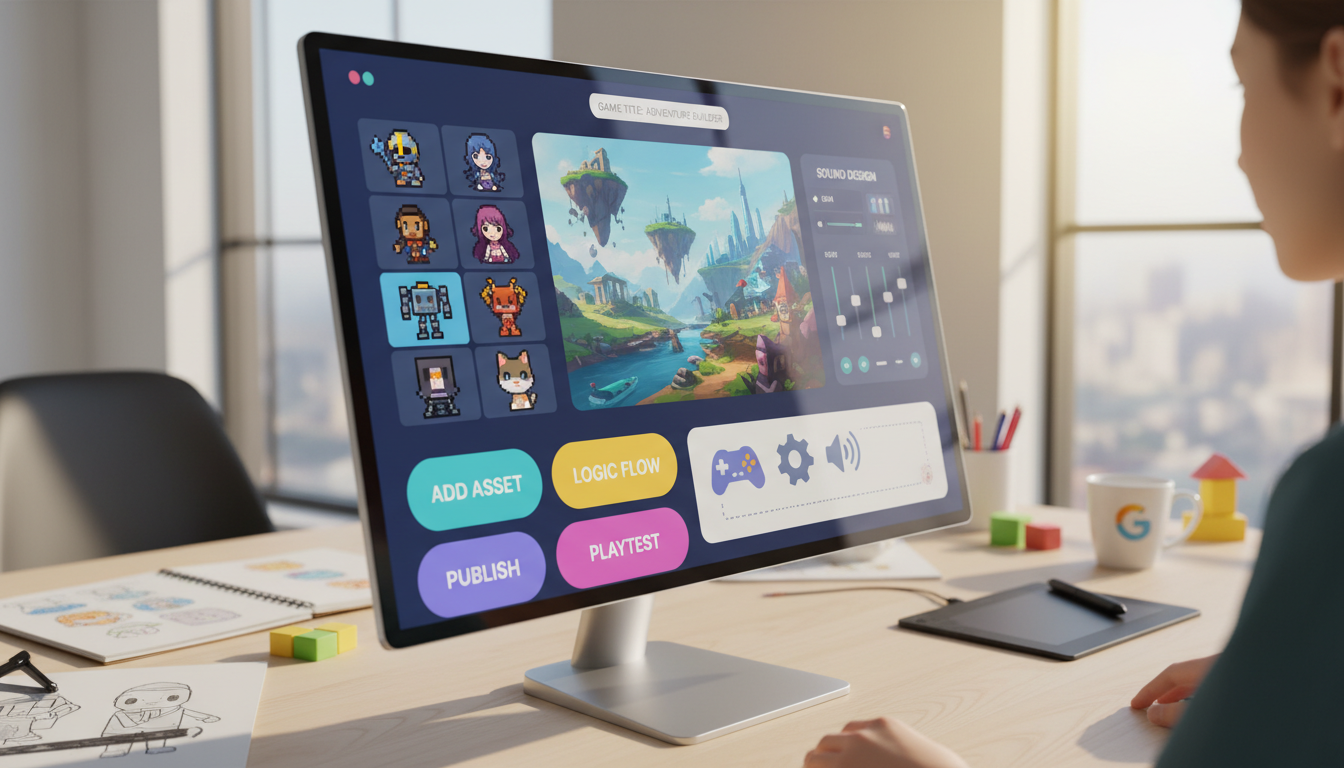
The global games market is booming. Projections show it reaching $522.46 billion in 2025, with an expected 2.2 billion users worldwide. This massive growth opens doors for creators of all backgrounds.
Aspiring developers now have incredible opportunities. Modern platforms remove the need for traditional programming skills. You can bring your vision to life without writing a single line of code.
This guide helps you navigate the landscape of over 100 available tools. The key is matching the builder to your project’s true needs. A simple 2D puzzle game requires a different solution than a complex 3D experience.
We focus on practical factors like interface design, scalability, and performance. Making the right selection empowers you to tap into this expanding market successfully.
Key Takeaways
- The global games market offers immense opportunities for creators without programming experience.
- Modern platforms provide drag-and-drop interfaces and visual scripting for easy game creation.
- Selecting the right builder depends heavily on the intended complexity of your game project.
- Different platforms are optimized for various types of games, from simple 2D to advanced 3D.
- Key evaluation factors include scalability, integration capabilities, and the learning curve.
- With the right tool, anyone can create professional-quality games and reach a global audience.
Overview of the No-Code Game Development Landscape
Application creation is no longer confined to IT departments, with citizen developers now dominating the landscape. These non-professional creators outnumber traditional programmers by four to one. This shift represents a fundamental change in digital product creation.
Recent market growth and projections
The global games market shows explosive expansion potential. Projections indicate growth from $522.46 billion in 2025 to $733.22 billion by 2030. This represents a 7.01% compound annual growth rate.
Nearly 60% of custom applications are now built outside traditional IT departments. About 30% come from people with minimal technical expertise. By 2024, 80% of non-IT professionals will use these platforms for various tasks.
Singapore’s gaming sector demonstrates particularly strong potential. Local revenue should increase from $826.33 million to $1.13 billion by 2030. This creates substantial opportunities for local businesses and startups.
Empowering non-programmers in game creation
Visual editors and drag-and-drop systems remove technical barriers completely. Hobbyists, educators, and entrepreneurs can now design professional-quality experiences. They bypass months of learning complex programming languages.
This democratization means anyone with a compelling idea can bring it to life. Ready-to-use templates and visual scripting accelerate the process significantly. Development time shrinks from months to just weeks or days.
The number of citizen developers should increase by 50% by 2025. Platforms continue evolving to handle more sophisticated mechanics. This expansion makes creative expression accessible to all users.
Understanding Game Complexity and Its Impact on Tool Selection
Project scope and technical demands create natural boundaries that guide builders toward compatible development environments. The architectural requirements of your interactive experience determine which creation systems can successfully support your vision.
Defining 2D versus 3D game complexities
Two-dimensional projects operate on flat planes with simpler visual requirements. These experiences typically involve sprite management and straightforward physics systems.
Platformers and puzzle games represent common 2D formats. They demand tools optimized for tile-based level design and efficient resource handling.
Three-dimensional creations introduce depth, perspective, and advanced rendering needs. These environments require sophisticated visual scripting capabilities to manage complex calculations.
How game design complexity affects platform choice
Design sophistication extends beyond visual dimensions to include interactive systems. Multiplayer functionality and artificial intelligence behaviors significantly increase technical demands.
Advanced features like procedural generation or inventory management require robust logic builders. The platform must offer extensive customization options to handle these elements.
Performance considerations become critical with complex design elements. Developers should match their project’s technical requirements with appropriate creation tools from the start.
Why No-Code is a Game-Changer in the Gaming Market
The emergence of drag-and-drop creation systems marks a pivotal moment in digital entertainment history. These platforms transform complex programming into visual workflows that anyone can understand.
Traditional development required mastering languages like C++ or JavaScript. This process often took months or years to learn properly. Modern no-code tools eliminate this barrier completely.
Businesses can now create training simulations and marketing app experiences rapidly. Educational institutions introduce design concepts without programming frustration. The entire development process accelerates significantly.
| Aspect | Traditional Development | No-Code Approach |
|---|---|---|
| Learning Time | 6-12 months minimum | Immediate start |
| Development Speed | Weeks to months | Days to weeks |
| Technical Requirements | Programming expertise | Creative vision |
| Accessibility | Limited to coders | Open to all creators |
These tools don’t represent limited capabilities. They offer fully functional environments that handle sophisticated mechanics. Creators build complete projects without writing a single line of code.
The gaming market now welcomes diverse voices previously excluded by technical barriers. This democratization unlocks unprecedented creative potential across the industry.
Evaluating Key Features of No-Code Game Builders
When assessing visual development environments, several critical factors determine their suitability for different project types. The right platform combines intuitive design with robust technical capabilities.
Effective evaluation requires testing both immediate usability and long-term expansion potential. Creators should examine how each system handles various development scenarios.
Interface Design and Ease of Use
Quality platforms feature clean, organized layouts that minimize learning time. Visual programming concepts should feel natural rather than technical.
Drag-and-drop functionality represents a key advantage for rapid prototyping. Systems with responsive design tools enable faster iteration cycles.
Testing should confirm basic understanding within the first 30 minutes. Helpful tooltips and guided tutorials significantly improve the onboarding experience.
Integration Capabilities and Scalability
Modern platforms offer extensive connection options with external services. API integration allows expansion beyond native features.
Scalability ensures your project can grow without platform limitations. This includes handling increased user traffic and complex mechanics.
Professional environments now support enterprise-level requirements. Approximately 87% of developers use these systems for commercial projects.
| Feature Category | Essential Components | Evaluation Criteria |
|---|---|---|
| Interface Design | Visual hierarchy, drag-and-drop, workflow organization | Intuitive navigation, minimal clicks, clear tool organization |
| Ease of Use | Onboarding tutorials, tooltips, visual scripting | 30-minute basic comprehension, natural programming concepts |
| Integration | API connections, external services, third-party tools | Service compatibility, authentication systems, payment processors |
| Scalability | Performance handling, data management, user capacity | Growing player bases, complex mechanics, content expansion |
These evaluation criteria help identify platforms with strong capabilities for various project scales. The right choice balances immediate usability with future growth potential.
Market Trends and Opportunities in Game Development
Current gaming industry patterns reveal unprecedented opportunities for diverse creators entering the field. The global entertainment market continues its rapid expansion, projected to reach $733.22 billion by 2030.
Singapore’s gaming sector demonstrates particularly strong growth potential. Local revenue should increase from $826.33 million in 2025 to $1.13 billion by 2030. This steady expansion attracts various creators to explore interactive content creation.
Mobile gaming maintains dominant market share, creating significant opportunities for developers. Hyper-casual experiences represent one of the fastest-growing segments. These lightweight app concepts work well with visual creation systems.
The democratization of content development enables non-traditional creators to participate. Educators, marketers, and entrepreneurs now build interactive experiences. They bypass traditional programming requirements entirely.
| Opportunity Area | Target Audience | Platform Support |
|---|---|---|
| Entertainment Games | General Users | Mobile & Desktop |
| Educational Applications | Schools & Training | Cross-Platform |
| Marketing Experiences | Businesses | Web & Mobile |
| Regional Content | Local Markets | Cultural Adaptation |
Emerging trends include AI integration and cross-platform deployment tools. These advancements make visual creation platforms more powerful than ever. Businesses can launch interactive app experiences 90% faster than traditional methods.
Southeast Asian expansion creates specific advantages for creators understanding local preferences. Rapid prototyping allows testing concepts before full-scale development. This approach minimizes risk while maximizing potential success.
Benefits and Drawbacks of Making Games Without Coding
Building interactive experiences without traditional programming offers both remarkable opportunities and notable constraints. Understanding this balance helps creators set realistic expectations for their projects.
Advantages: Speed, Cost Savings, and Accessibility
Visual development systems deliver significant benefits in project time management. Creators can build complete experiences 90% faster than traditional methods.
Financial costs drop dramatically with these platforms. Teams report 70% savings compared to hiring programming specialists.
Accessibility stands as the most transformative advantage. Anyone can create regardless of technical background.
Limitations: Customizations and Performance Constraints
Customization represents the primary challenge. Unique gameplay systems may face implementation limitations.
Performance can be constrained for complex projects. Visual scripting may not optimize as efficiently as hand-written code.
These tools excel at standard features but have boundaries. Understanding these limitations ensures successful project planning.
The right balance maximizes creative potential while acknowledging technical constraints. This approach leads to more successful development outcomes.
Choosing No-Code Tools Based on Game Complexity
The success of your digital creation hinges on aligning platform capabilities with your vision’s demands. Proper selection prevents frustration and ensures your project reaches completion.
Assess your interactive experience across multiple dimensions. Consider visual requirements, gameplay systems, and technical performance needs.
| Complexity Level | Project Type | Recommended Platform | Key Features |
|---|---|---|---|
| Simple | 2D Puzzle, Educational | Scratch, GDevelop | Basic mechanics, rapid deployment |
| Medium | 2D with advanced systems | GameMaker Studio | Customization, inventory management |
| High | 3D, multiplayer, complex AI | Unity Visual Scripting | Professional optimization, networking |
Simple projects benefit from straightforward platforms with minimal learning curves. These tools handle basic mechanics efficiently.
Mid-level complexity requires more robust features. Look for systems supporting advanced logic and customization options.
High-complexity game projects demand powerful environments. These platforms offer visual scripting while allowing code integration when needed.
Developers should honestly evaluate their skills and goals. Genre-specific requirements may guide your final decision toward specialized solutions.
Comparative Analysis of Top No-Code Game Builders
Visual development environments offer distinct approaches to interactive content creation. Each platform brings unique strengths suited to different project requirements and creator skill levels.
Highlights of 2D Game Engines
GameMaker Studio stands out for indie creators focusing on 2D projects. This platform features drag-and-drop creation and built-in sprite editors.
Successful titles like Undertale and Spelunky demonstrate its commercial viability. The system offers optional GML scripting for advanced customization.
Construct 3 operates entirely in web browsers without installation requirements. Its event-based logic system feels natural for beginners.
This engine powers commercial releases like Dicey Dungeons with cross-platform export capabilities. It supports HTML5, mobile, and desktop deployment.
GDevelop provides a completely free, open-source solution for budget-conscious developers. The platform supports both 2D and simple 3D projects effectively.
Overview of 3D Game Engines
Unity Visual Scripting delivers professional-quality 3D creation within an industry-standard ecosystem. The node-based system allows transition to C# coding when needed.
Unreal Engine Blueprints offers AAA-quality visual capabilities through powerful node-based scripting. Commercial successes like Fortnite showcase its advanced graphics features.
Core combines Unreal Engine’s power with integrated publishing and multiplayer infrastructure. This platform features drag-and-drop level design and modular asset marketplaces.
These engines vary significantly in learning curves, customization flexibility, and performance capabilities. Export options and pricing models also differ across platforms.
Learning Curves: From Beginners to Advanced No-Code Users
The journey from novice to skilled creator involves navigating distinct stages of platform familiarity. Each level requires different time investments and learning approaches.
Absolute beginners should start with educational platforms like Scratch and Roblox Studio. These systems introduce fundamental concepts through visual interfaces. The 30-minute rule applies here—if basic functionality isn’t clear within half an hour, the tool may be too advanced.
Intermediate users progress to more sophisticated tools after mastering basics. This stage introduces advanced features like custom expressions and data structures. Developers typically invest 10-40 hours to reach comfortable proficiency.
| Skill Level | Recommended Platforms | Time Investment | Key Focus Areas |
|---|---|---|---|
| Beginner | Scratch, Roblox Studio | 10-20 hours | Basic mechanics, event systems |
| Intermediate | Construct 3, GDevelop | 20-60 hours | Custom logic, optimization |
| Advanced | Unity Visual Scripting | 60+ hours | Performance, scalability |
Advanced learning involves professional-grade platforms with extensive feature sets. These systems demand significant time investment but offer powerful capabilities. The progression isn’t linear—users often experience rapid growth followed by plateaus.
Remember that “no-code doesn’t mean no work.” Successful users develop programmer-like thinking and consistently practice with their chosen platform. Building small projects accelerates the learning process more than passive study.
Influence of User Experience and Interface Design on Game Builders
The user experience of a builder itself is as critical as the games it helps create. A poorly designed interface can hinder creativity and slow down development significantly.
Most visual platforms structure work into three core areas. You manage data, compose the visual design, and build application logic. The best systems connect these areas seamlessly.
Drag-and-drop functionality is a cornerstone of this experience. High-quality implementation offers precise control and clear feedback. Poor execution leads to frustration and wasted time.
Good design extends beyond the main screen. It includes clear documentation, helpful error messages, and reliable auto-save features. These elements reduce cognitive load, letting you focus on your vision.
| Platform Philosophy | Target User | Interface Characteristics |
|---|---|---|
| Simplicity-First | Beginners | Guided workflows, limited options, high ease use |
| Power-User Focused | Experienced Creators | Granular controls, advanced features, customization |
Evaluating a platform‘s interface before commitment is essential. Build a small test project and read community feedback about usability. This prevents future obstacles and ensures a smooth creative process.
Cost and Time Efficiency in No-Code Development
The economic advantages of visual creation systems extend far beyond initial setup expenses. Companies consistently report up to 70% savings in development costs compared to traditional programming approaches.
Time efficiency proves equally transformative. Visual platforms reduce app creation time by 90% compared to conventional methods. This acceleration enables rapid prototyping and faster market entry.
For businesses, the financial benefits are substantial. Organizations using these tools increase revenue by 58% on average. Reduced development expenses free up budget for marketing and user acquisition.
The efficiency gains apply across project scales. Simple prototypes achieve 50-90% cost reduction. More complex projects still see 30-70% savings.
While subscription fees range from free to professional tiers, overall costs remain significantly lower. The saved time can be redirected toward design refinement and business growth activities.
Integrating No-Code Tools into Existing Game Development Workflows
The true power of visual creation systems emerges when they connect smoothly with your existing operational framework. Whether you’re an indie developer or part of a larger studio, blending these platforms with current processes requires careful planning.
Start by evaluating how your chosen platform interacts with your tech stack. Consider project management software, version control, and analytics services. This assessment ensures compatibility across your entire development workflow.
Best practices for seamless integration
Map your current workflow to identify critical connection points. Prioritize integrations that handle frequent data exchanges or automate manual tasks. This approach reduces bottlenecks and improves efficiency.
Platforms like Zapier serve as powerful bridges between systems. They connect over 8,000 applications through API aggregation. This enables automated data flows without custom coding.
Establish clear data standards and naming conventions. Documented processes prevent synchronization errors between platforms. Consistent information flow maintains app functionality and business operations.
Real-world examples demonstrate practical applications. When users submit data through your app, AI can analyze inputs automatically. The system then logs insights in databases and triggers CRM updates.
Approximately 87% of enterprise developers now use these platforms for development tasks. Integration between visual and traditional environments has become standard practice. Hybrid approaches leverage the strengths of both methods effectively.
Real-World Success Stories in No-Code Game Creation
Concrete achievements demonstrate the powerful capabilities of visual development environments. These platforms have produced commercial hits that reached millions of players worldwide.
GameMaker Studio powered indie classics like Undertale and Spelunky. These titles became cultural phenomena with massive sales. They prove visual tools deliver professional results.
Construct 3 enabled diverse commercial releases. The Next Penelope and Dicey Dungeons show the platform’s versatility. Developers created these successful projects without traditional coding.
Roblox Studio generated an entire economy of user-made content. Hits like Adopt Me! attracted billions of plays. This demonstrates the massive reach possible with these solutions.
Unreal Engine Blueprints contributed to blockbusters including Fortnite. These AAA titles used visual scripting for major components. The success stories span all genres and scales.
These achievements prove that compelling design matters more than development method. The right platform empowers creators to build memorable experiences. Many popular games started as visual projects.
Balancing Creativity and Technical Limitations in No-Code Games
Every creative vision encounters boundaries when translated into interactive experiences through visual development systems. The key lies in understanding where your flexibility ends and technical limitations begin.
Visual development platforms offer remarkable creative control within predefined parameters. You gain extensive options for implementing standard mechanics and established design patterns.
| Aspect | Creative Freedom | Technical Constraints |
|---|---|---|
| Mechanics Implementation | Standard systems work seamlessly | Unique concepts face challenges |
| Performance Optimization | Basic projects run smoothly | Complex 3D experiences may lag |
| Customization Depth | Template modifications easy | Core engine changes impossible |
| Platform Dependency | Regular updates provided | Vendor roadmap determines future |
Performance considerations become crucial for ambitious projects. Large-scale environments with complex physics demand careful planning. Your creative flexibility must align with technical realities.
Successful developers adopt a modular approach. Break complex systems into manageable components. This strategy maximizes creative control while respecting technical boundaries.
The best tools balance user-friendly interfaces with powerful features. They provide sufficient customization options without overwhelming complexity. Understanding these dynamics ensures your vision translates effectively into playable experiences.
Expert Tips for Evaluating No-Code Platforms for Game Development
Selecting the right development environment requires careful examination of several critical factors. A thorough assessment ensures your chosen solution meets both immediate needs and long-term objectives.
Begin by confirming the platform is genuinely code-free. Some systems marketed as visual builders still require HTML or JavaScript knowledge. True no-code solutions eliminate all programming barriers completely.
Documentation quality reveals much about vendor commitment. Comprehensive guides and updated tutorials indicate strong user support. Sparse materials often signal potential learning challenges.
Key questions to ask vendors
Probe vendors about their service reliability and future plans. Ask about uptime history and product roadmaps. Inquire about data export options and business continuity measures.
Test the support infrastructure before commitment. Evaluate response times and community forum activity. Look for dedicated account representatives at higher subscription levels.
Hands-on testing provides the most valuable insights. Build a small prototype with challenging mechanics. Assess performance and export capabilities thoroughly.
Community health indicators include active forums and user-generated content. Third-party tutorials and template marketplaces show ecosystem strength. These elements contribute significantly to long-term success.
Finally, examine the business model sustainability. Platforms with clear revenue streams and established user bases present lower risk. Your project’s viability depends on the vendor’s stability.
Conclusion
Success in interactive content creation ultimately depends on strategic platform selection aligned with project vision. The right environment empowers creators to focus on design rather than technical hurdles.
This guide has demonstrated that honest assessment of your project’s requirements drives effective decisions. Beginners benefit from accessible solutions while experienced developers leverage professional platforms.
The global gaming market’s expansion creates unprecedented opportunities. Visual development solutions democratize access to this growing industry for creators of all backgrounds.
Remember that compelling design matters more than development method. Test multiple platforms through hands-on prototyping and engage with community resources.
Your ideal solution matches current skills while supporting future growth. This approach ensures you create engaging experiences that resonate with players worldwide.
FAQ
What is the main benefit of using a no-code platform for game development?
How do I choose between a 2D and a 3D game builder?
Are there performance limitations with no-code apps?
Can I integrate my no-code game with other software systems?
What is the learning curve like for a beginner?
How much control do I have over the final product’s design?

Game developer with over 10 years of professional experience specializing in the mobile sector. George’s journey began with a passion for indie development, leading him to contribute to several successful mobile titles, including the critically acclaimed puzzle-platformer ChronoShift and the top-down strategy game Pocket Empires.