The global market for interactive entertainment is experiencing explosive growth. Projections show revenue reaching $522.46 billion in 2025, with an estimated 2.2 billion users worldwide. This creates massive opportunities for creators at every level.
Many developers start their journey using accessible visual tools. These platforms allow for rapid prototyping without writing a single line of coding. However, creators often hit a ceiling when aiming for commercial-quality results.
This guide provides a clear path forward. Moving to a professional engine unlocks unparalleled power and flexibility. While the shift requires learning new development concepts, your existing design knowledge is a solid foundation.
We will explore the core differences between prototyping environments and industry-standard platforms. You will learn essential technical principles and best practices. This structured approach makes the process manageable and rewarding for serious creators.
Key Takeaways
- The global games market offers immense growth, creating significant career opportunities.
- Visual prototyping tools are excellent for starting but have limitations for advanced projects.
- Professional development engines provide greater power, control, and industry-standard workflows.
- Existing game design experience is a valuable asset when learning a new engine.
- This guide offers a structured pathway to bridge the gap between prototyping and professional development.
- Understanding key technical concepts is crucial for a successful transition.
- The learning curve is surmountable with the right approach and resources.
Introduction to the Transition Process
Modern prototyping environments eliminate technical barriers for aspiring developers. These systems provide immediate access to interactive creation without programming expertise. Understanding this foundation helps creators recognize when advancement becomes necessary.
Understanding No-Code Prototypes
Visual development platforms use drag-and-drop interfaces instead of manual coding. They replace complex programming with intuitive logic blocks and asset libraries. This approach makes interactive projects accessible to beginners and professionals alike.
Businesses and educators benefit from rapid prototyping capabilities. Startups can validate concepts quickly before committing resources. The table below shows key differences between visual development approaches:
| Feature | No-Code Platforms | Low-Code Systems |
|---|---|---|
| Programming Required | None | Minimal Scripting |
| Customization Level | Template-Based | Moderate Flexibility |
| Learning Curve | Very Low | Moderate |
| Best For | Prototyping & Education | Scalable Projects |
The Need for a Full Engine Workflow
Visual tools eventually face performance and customization limits. Complex projects require advanced physics, rendering, and optimization capabilities. Recognizing these constraints is the first step toward professional growth.
Moving beyond prototyping unlocks greater creative freedom and technical control. The skills gained in visual environments provide excellent preparation for more advanced systems. This progression represents natural career development for serious creators.
The No-Code Prototype Landscape
Today’s game creation landscape offers powerful visual tools that empower creators without programming backgrounds. These systems provide complete environments for building interactive experiences.
Key Features of Visual Editors and Drag-and-Drop Tools
Modern platforms feature intuitive scene editors where designers construct entire worlds. Characters, terrain, and UI elements place easily using drag-and-drop interfaces.
Logic systems enable complex behaviors without writing code. Visual scripting blocks define character actions and enemy behaviors. This approach maintains deep customization capabilities.
Integrated physics engines handle movement and collisions automatically. Gravity, velocity, and object interactions work seamlessly. Creators build realistic platformers and puzzles without complex mathematics.
Asset management tools organize sprites, 3D models, and audio files. Many platforms include prebuilt libraries with animation timelines. This ensures polished gameplay experiences.
Cross-platform publishing simplifies deployment to mobile, web, and desktop. Advanced systems now incorporate AI-assisted design suggestions. Community templates and marketplace extensions accelerate development.
Overview of Traditional Game Engines
Industry-standard platforms represent the next evolutionary step for creators seeking advanced capabilities. These professional tools handle complex requirements that simpler systems cannot manage.
Core Capabilities and Advantages
Unity and Unreal Engine dominate the professional landscape. Unity utilizes C# programming alongside its visual scripting system. This combination offers flexibility for different skill levels.
Unreal Engine employs C++ with Blueprints visual scripting. Both platforms provide industry-standard workflows. They support cross-platform publishing to multiple devices.
Advanced rendering capabilities enable photorealistic graphics. Robust physics systems handle complex simulations. Professional animation tools create lifelike character movements.
| Feature | Unity | Unreal Engine |
|---|---|---|
| Primary Language | C# | C++ |
| Visual Scripting | Unity Visual Scripting | Blueprints |
| Learning Curve | Gradual | Steeper |
| Visual Strength | Balanced | AAA Quality |
| Community Size | Very Large | Large |
Massive asset marketplaces offer thousands of ready-made components. These game engines provide unlimited customization potential. Performance optimization capabilities support large-scale projects.
Unity’s extensive community makes it accessible for beginners. Unreal Engine excels in photorealistic rendering and advanced visual effects. Both represent professional-tier development tools.
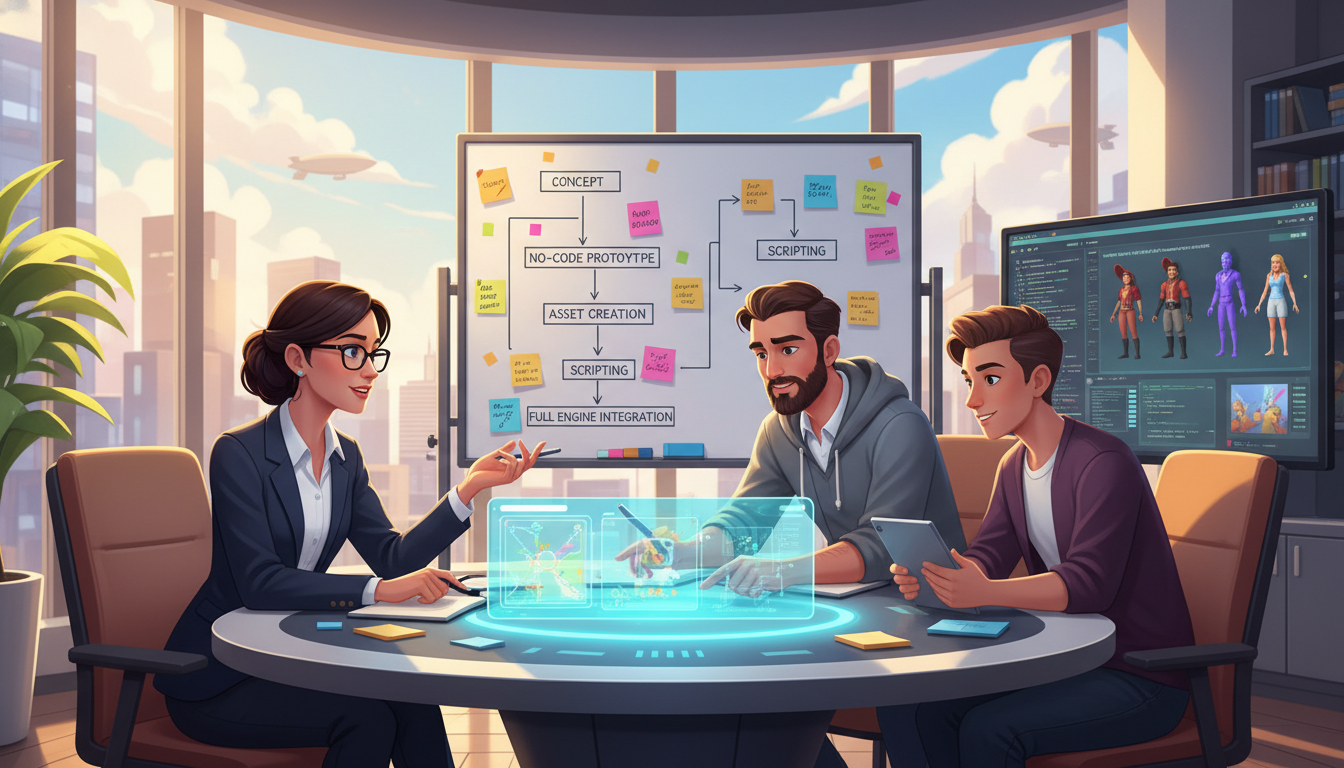
Mastering Transitioning from No-Code to Traditional Game Engines
Many talented creators stumble during platform changes due to one fundamental error. They attempt to rebuild their ambitious project immediately instead of learning the new system properly.
The correct approach involves building numerous small, diverse projects first. Complete simple demos from tutorials and sample assets within one or two days. This method builds essential experience with the engine’s workflow.
Think of yourself as a skilled junior developer in this new environment. Your design knowledge transfers well, but the technical software operates differently. Small successes reveal that complex features become manageable with proper tools.
This learning way provides psychological benefits through visible progress. You gain confidence by completing projects rapidly. The hands-on choice helps you understand when to use visual tools versus code.
Professional engines offer incredible power for game creation. Accessing this potential requires investing time in learning specific workflows. Building small projects creates the foundation for major development success.
Embracing the Engine: Why It’s Crucial to Shift
Many aspiring developers struggle because they approach new engines with old habits. They attempt to recreate complex projects immediately rather than learning the system properly. This leads to frustration and abandoned work.
Think of learning a professional platform like training a junior programmer. You wouldn’t start with a massive social media clone. Instead, you’d build simple sample pages to understand the framework.
Learning Through Small Projects and Demos
Small, focused exercises reveal engine capabilities organically. Create a basic platformer to learn physics systems. Build a simple shooter to understand input handling.
These mini-projects teach best practices while reducing overwhelm. They create a portfolio demonstrating growing competency. Each completed demo builds confidence for larger challenges.
Transitioning Mindset from Rapid Prototyping to Robust Design
Visual tools emphasize speed and immediate iteration. Professional systems reward upfront planning and proper architecture. This shift is essential for long-term success.
Indie developers must understand that temporary inefficiency is normal. Setting realistic milestones helps overcome psychological barriers. Celebrating small wins maintains motivation during the learning curve.
The robust design approach prevents technical debt and performance issues. It enables creators to build reusable systems rather than one-off solutions. This foundation supports scalable projects that can become the best game in their category.
Understanding Game Loops, Updates, and Frame Rates
Professional game development introduces a fundamental concept that differs from standard programming: the game loop. While business and web applications hide their event processing behind abstractions, engines make this core mechanism visible. This visibility gives developers precise control over timing and behavior.
Understanding this loop system is crucial for implementing reliable game mechanics. The engine automatically calls specific methods on active objects at predetermined intervals. These calls handle everything from initialization to real-time interactions.
How Engine Loops Affect Gameplay
Unity’s lifecycle methods execute in a specific order. Awake() runs early for initialization tasks. Update() processes every frame for movement and input handling.
Collision detection uses separate methods like OnCollisionEnter and OnTriggerEnter. These events manage physical and trigger-based interactions differently. Proper method selection ensures correct gameplay behavior.
Frame rate directly impacts gameplay consistency. At 10 frames per second, Update() runs ten times each second. At 300 FPS, it executes three hundred times. Movement calculations must account for this variation.
The solution involves Time.deltaTime. This value represents the time since the last frame. Multiplying movement by deltaTime creates smooth, frame-rate-independent behavior. This approach ensures consistent player experience across different hardware.
Setting Up Your Project for Full Engine Success
Professional software development typically organizes projects around code files with clear entry points. Game engines operate differently, using scenes and folder structures as the primary organizational framework.
Optimizing Folder Structure and Scene Management
Create logical directories for scripts, prefabs, scenes, and assets. This organization supports team collaboration and scalable project growth. Separate folders help maintain clean project architecture.
Scenes function as the main organizational units in engine workflows. They represent levels, menus, or gameplay sections. Proper scene management enables independent loading and additive scene combinations.
Integrating Minimal Code with Visual Dependencies
Avoid recreating traditional programming patterns with setup scenes. Instead, configure GameObjects and components directly within scenes. Use the Inspector to set references and parameters visually.
This approach provides several advantages for game development. Visual debugging becomes more accessible to non-programmers. Iteration cycles accelerate when working with scene-based setups.
Embrace the engine’s intended workflow rather than fighting against it. Scene-based organization reduces system coupling and improves maintainability. Your project will benefit from cleaner architecture and faster development cycles.
Transitioning Your Code: From Scripting to Component-Based Workflows
Component-based architecture represents a fundamental shift in how developers approach game construction. Instead of creating large, complex scripts, you build small, focused components that handle specific tasks. This modular approach enables greater flexibility and reusability throughout your project.
In Unity, every GameObject contains at least one component called a Transform. This handles position, rotation, and scale. You create functional elements by combining multiple specialized components together.
Utilizing Prefabs and Reusable Components
Consider building a collectible coin for your project. You would attach several components to a single GameObject. A SphereCollider detects when the player touches it. An Animator makes the coin spin visually.
A custom script handles the collection logic when players interact with it. This composition approach allows you to mix and match components creatively. Well-designed components can be reused across different GameObjects.
Prefabs serve as reusable templates with pre-configured components. Instead of wiring dependencies in code, you configure them visually in the editor. This system resembles dependency injection in traditional software development.
| Component Type | Primary Function | Reusability Level |
|---|---|---|
| Transform | Position/Rotation/Scale | Universal |
| Collider | Physics Detection | High |
| Custom Script | Gameplay Logic | Moderate |
| Renderer | Visual Display | High |
The biggest advantage of this system is component reusability. Small, focused components can be combined in countless ways. This approach reduces code duplication and accelerates development cycles.
Indie developers benefit greatly from this architectural pattern. It encourages building modular systems rather than one-off solutions. This foundation supports scalable projects that can grow with your vision.
Leveraging Physics, Animation, and Collision Systems
One of the most powerful advantages of modern development platforms is their comprehensive physics and animation toolkits. These built-in systems handle complex behaviors that would require extensive manual coding.
Working with Built-In Physics and Animation Editors
Many creators spend hours coding movement systems manually. They could achieve better results in minutes using visual tools. Unity’s animation system provides timeline-based editing for smooth character motions.
The Animator component manages state transitions without scripting. Physics systems handle collisions and forces automatically. Components like HingeJoint2D create rope-like interactions without complex math.
| Approach | Development Time | Flexibility | Performance |
|---|---|---|---|
| Manual Coding | Hours to Days | High Customization | Variable |
| Engine Tools | Minutes | Rapid Iteration | Optimized |
Converting Hard-Coded Movements into Dynamic Interactions
Replace position-modifying scripts with physics forces. Use animation curves instead of manual rotation code. Engine events like OnCollisionEnter detect interactions automatically.
This approach creates more dynamic and polished game experiences. The built-in systems handle edge cases and optimization. Your projects gain professional quality with less effort.
Best Practices for Managing Dependencies and Game Assets
Asset organization and dependency handling represent critical skills that often determine project scalability. Proper management ensures efficient teamwork and maintainable codebases.
Moving Away from Dependency Injection in Game Development
Dependency injection frameworks exist for Unity but receive limited adoption. These tools typically fight against the engine’s visual workflow.
They build up projects in code instead of scenes. While DI works well for web applications, game development operates differently.
The component-based architecture provides similar benefits through visual configuration. Scene-based setups reduce system coupling naturally.
Maximizing Asset Reusability with Prefab Systems
Prefabs serve as Unity’s alternative to dependency injection. These reusable templates configure dependencies visually in the editor.
Create an enemy character prefab with weapon references and audio clips. Reuse this template throughout your project with consistent behavior.
This approach accelerates development cycles significantly. Well-designed prefabs become valuable assets for future projects.
Organize assets into logical folder structures for easy identification. Use naming conventions that support team collaboration and scalable growth.
Translating Solid Programming Principles into Game Design
Many programming best practices from other disciplines translate exceptionally well into interactive media development. The SOLID principles provide a strong foundation for creating maintainable and scalable projects.
These established concepts help developers build better architectures from the start. Your existing knowledge becomes a valuable asset in this new domain.
Implementing the Single Responsibility Principle
The Single Responsibility Principle proves particularly valuable in component-based workflows. Each script should handle one specific aspect of behavior rather than multiple concerns.
Separate player input handling from movement logic for better organization. Keep health management distinct from visual damage effects. This approach creates more reusable and debuggable components.
Many experienced creators build impressive projects but struggle with massive, monolithic scripts. Breaking functionality into focused pieces accelerates development cycles.
Other SOLID principles also apply effectively to interactive projects. The Open/Closed Principle enables extension through composition rather than modification.
Design patterns from web development translate well when adapted properly. Object pooling and state machines provide efficient solutions for common challenges.
Recognize when engines offer built-in solutions that replace manual implementations. This balanced approach leverages your programming background while respecting platform-specific workflows.
Integrating Web Market Trends and AI-Assisted Design
Artificial intelligence is revolutionizing how creators approach interactive entertainment projects. The global entertainment landscape offers unprecedented opportunities for developers at all skill levels.
Understanding Market Growth and Future Opportunities
The global games market shows remarkable expansion potential. Projections indicate revenue reaching $522.46 billion in 2025. This growth continues to $733.22 billion by 2030.
Regional markets like Singapore demonstrate similar expansion patterns. Their entertainment sector will hit $826.33 million in 2025. This creates substantial opportunities for indie studios and established game studios.
With 2.2 billion users worldwide, the audience base supports diverse project types. Mobile games represent a particularly accessible entry point. The web distribution model further expands reach.
Adopting AI Tools and Modern No-Code Platforms
Modern development tools now incorporate intelligent assistance features. Platforms offer AI-powered suggestions for level creation and character generation. This reduces creative fatigue during early prototyping phases.
Advanced systems like Emergent use multi-agent AI architecture. They generate complete game logic from simple English descriptions. This includes assets, UI components, and interactive mechanics.
These intelligent platform capabilities bridge prototyping and professional workflows. Creators can describe gameplay concepts conversationally. The system produces functional code ready for refinement.
Familiarity with both traditional workflows and AI-assisted tools positions developers advantageously. This combination enables faster prototyping and adaptation to evolving market demands.
Blending No-Code Tools with Traditional Coding Methods
The most effective creators often leverage both visual interfaces and programming in their projects. This hybrid approach provides the best of both worlds for interactive development.
Finding the Right Balance for Your Project
Modern platforms support workflows that combine visual scripting with optional programming. Unity’s Visual Scripting system allows building entire experiences using node-based logic.
Developers can switch to C# for complex systems or performance-critical sections. This flexibility makes Unity ideal for teams with mixed skill levels.
Unreal Engine’s Blueprint system offers similar capabilities. It provides professional-grade visual development while allowing C++ integration when needed.
| Approach | Best For | Flexibility | Learning Curve |
|---|---|---|---|
| Pure Visual Scripting | Prototypes & Simple Projects | Limited Customization | Low |
| Hybrid Development | Most Indie & Medium Projects | High Flexibility | Moderate |
| Full Traditional Coding | Complex & Performance Projects | Maximum Control | High |
The key is matching your approach to project requirements. Consider team skills, complexity, and performance needs when choosing your workflow.
Effective creators learn to use visual tools for rapid iteration and coding for optimized systems. This balanced strategy accelerates development while maintaining quality.
Conclusion
Successful creators understand that embracing advanced development workflows is essential for scaling projects beyond initial prototypes. The global entertainment market offers unprecedented opportunities, with revenue projected to reach $733 billion by 2030.
This guide has outlined the fundamental principles for moving forward. Small learning projects build confidence with professional tools. Understanding core concepts like component architecture creates solid foundations.
Your visual prototyping experience provides valuable design knowledge. These skills translate directly to more powerful systems. The mindset shift from rapid iteration to robust planning unlocks greater potential.
Thousands of indie studios began with simple tools before mastering industry-standard platforms. This path proves both achievable and rewarding for dedicated creators willing to invest in continuous learning.
FAQ
What is the main difference between a no-code platform and a traditional game engine?
Can I build a complete, publishable game using only a no-code tool?
How difficult is it to learn a traditional game engine after using no-code software?
What are the biggest advantages of moving my project to an engine like Unity?
Should I learn a programming language before switching engines?
How do I transfer my game assets from a no-code platform to a new engine?
Can I use both no-code tools and traditional coding in the same project?

Game developer with over 10 years of professional experience specializing in the mobile sector. George’s journey began with a passion for indie development, leading him to contribute to several successful mobile titles, including the critically acclaimed puzzle-platformer ChronoShift and the top-down strategy game Pocket Empires.