Welcome, fellow creators! This guide dives into the core mechanics that bring a role-playing adventure to life. We will explore the essential pillars of health, mana, and combat. These elements form the bedrock of player progression and engagement in any great game.
Our journey with the Unity engine began back in 2013. Over the years, we learned a crucial lesson: building everything from scratch is a massive challenge for solo developers. This guide shares that hard-won experience. We focus on practical, achievable steps.
You will learn how to implement these core systems without getting overwhelmed. We will discuss how to leverage existing assets to speed up your workflow. The goal is to create a polished and professional-feeling experience, even with limited resources.
Key Takeaways
- Grasp the fundamental role of health and mana as core gameplay drivers.
- Learn from a development journey that started with Unity in 2013.
- Understand why building from scratch isn’t always the best approach for indie developers.
- Discover practical methods to implement these systems without feeling overwhelmed.
- See how asset packs can significantly accelerate your development process.
- Gain insights for creating a polished experience, even with a small team or solo.
Overview of RPG Systems in Unity
Creating engaging interactive experiences requires understanding fundamental design principles. These foundational elements form the backbone of any successful adventure game.
Defining the Core Concepts
The essential framework revolves around character progression and stat management. These core concepts determine how all mechanics interact within your game.
Players expect intuitive progression and responsive feedback. Understanding these fundamental systems helps you build satisfying gameplay loops.
Importance for Indie Developers
For smaller teams, the modular nature of these designs offers significant advantages. Building reusable components saves development time and resources.
Many successful titles follow similar architectural patterns. Learning from existing solutions helps indie creators set realistic expectations. This approach encourages smart use of available assets.
Essential Elements of a Unity RPG System
At the heart of every engaging adventure lies a trio of interconnected mechanics. These components form the core loop that players will experience repeatedly. Getting them right is crucial for a satisfying game.
Before diving into code, it’s vital to understand how these pieces fit together. A well-designed framework ensures balance and fun from the start.
Incorporating Health and Mana Mechanics
Health is more than a simple number. It should react to defense stats and armor values. This creates strategic depth beyond basic hit points.
Mana governs the use of special abilities. It forces players to make smart resource choices. This adds a tactical layer to every combat encounter.
Using ScriptableObjects for stats is a powerful approach. It allows for easy balancing and modification of your character data.
Setting Up Combat Fundamentals
Effective combat requires understanding how different character types interact. A clear damage formula is key to good balance.
Feedback must be immediate and clear. Players need to understand why an attack succeeded or failed.
Dynamic stat changes keep the game fresh. Modifiers from equipment and levels ensure progression feels meaningful.
Planning and Design for Your RPG Adventure
A strong blueprint is your best ally when starting a new interactive project. This initial phase is the best way to ensure your vision becomes a cohesive and engaging experience for players.
Creating an Effective Game Design Document
Your first step is to draft a simple Game Design Document, or GDD. This document doesn’t need to be a massive novel. A barebones GDD that outlines your core vision is a practical game design tool.
It should capture the essential feel of your game. Focus on the visual style and the core mechanics you want to include.
Start by defining your world’s setting and lore. Is the setting a dark fantasy realm or a futuristic city? The answers to these questions shape every other aspect of your project.
Concept art and storyboards are incredibly helpful. They turn abstract ideas into clear visual guides, preventing confusion later.
Think carefully about your character progression system. A well-planned game design ensures that leveling up feels rewarding from start to finish.
Remember, your plan will change as you build and test. This is a normal part of the creative process. The key is to keep your documentation flexible and update things as they evolve. This way, you can adapt without losing sight of your original goal, making sure all the things you build work together.
Building Immersive Worlds in Unity
Creating believable spaces is where technical tools meet creative vision in game development. The environment becomes the stage where all your mechanics come to life. Smart world-building makes players feel truly present in your creation.
Designing Interactive Environments
Start with the engine’s terrain tools to shape your landscapes. Import assets that match your visual style and game setting. Proper lighting transforms flat spaces into atmospheric experiences.
Good level design balances exploration with clear objectives. Players need freedom to discover secrets while understanding their goals. This creates a satisfying gameplay experience that keeps them engaged.
Interactive elements make worlds feel alive. Consider puzzles, hidden treasures, or destructible objects. These features give players meaningful ways to interact with their surroundings.
For developers with limited time, 2D projects offer significant advantages. They reduce the complexity of asset creation and technical optimization. This approach lets you focus on creating a polished player experience.
Rapid prototyping saves development time. Test your level layouts and gameplay flow early. Refine your designs before committing to detailed art assets.
Developing Dynamic Characters and NPCs
Breathing life into your digital realm starts with compelling personalities that players can connect with. These individuals become the emotional anchors of your experience.
Great character design balances visual appeal with meaningful functionality. Start with simple sketches to explore different personalities before committing to detailed models.
Crafting Unique Character Profiles
Each character should feel like a real person with distinct motivations. Define their backstory, personality traits, and relationships early in development.
This foundation makes every interaction feel authentic. Players remember characters who demonstrate consistent behavior and growth.
Implementing Advanced NPC Behaviors
Non-player characters need intelligent patterns to feel alive. Create patrol routes, reactive dialogue, and context-aware responses.
Enemies require special attention to provide fair challenges. Their behaviors should feel predictable enough to learn but varied enough to stay engaging.
The Unity engine offers powerful tools for building these complex behavior systems. Thoughtful implementation transforms your world into a living ecosystem.
Implementing Combat Mechanics for Balanced Gameplay
The clash of swords and the flash of spells define the moment-to-moment excitement in any adventure game. Getting your combat right is crucial for a satisfying player experience. It’s the core loop that can make or break your project.
You can build this foundation using the engine’s powerful C# scripting. This allows you to create everything from simple turn-based setups to complex real-time action systems. The flexibility of this approach lets you design a system that fits your unique vision.
True balance comes from testing and iteration. What looks good on paper might not hold up when players get creative. Your combat mechanics should offer meaningful choices, not just one winning strategy.
Design your enemies with variety in mind. Different opponent types force players to adapt their tactics. This keeps encounters fresh and challenging throughout the game.
The math behind the scenes is just as important. The relationship between a character’s stats, their gear, and damage formulas needs careful tuning. A well-balanced system ensures that progression feels rewarding without breaking your combat challenges.
Never underestimate the power of feedback. Clear damage numbers, impactful sound effects, and responsive visual cues help players understand the action. This feedback loop is essential for informed decision-making during intense combat.
Managing Health and Mana Systems in Real-Time
When health and mana values change during active gameplay, ensuring immediate synchronization across all systems becomes a critical development priority. Real-time updates must happen instantly while maintaining perfect coordination between your character stats and the user interface.
Using ScriptableObjects for storing character stats provides excellent flexibility. This approach separates data from behavior, allowing easy balancing without code recompilation. The distinction between base and current stats is fundamental to clean calculations.
Synchronizing UI with Player Stats
Base stats represent inherent capabilities at each level. Current stats include all modifiers from equipment and effects. This separation simplifies recalculations when gear changes occur.
Implement observer patterns or delegate callbacks for automatic UI updates. These ensure health bars and mana displays refresh instantly when values change. This real-time synchronization is crucial for player experience.
Multiple systems can modify stats simultaneously. Equipment changes, damage taken, and regeneration effects must coordinate without conflicts. Your system should update only when necessary to maintain performance.
Clear visual feedback helps players understand stat changes immediately. Animated health bars and status icons communicate the game state effectively. This real-time feedback loop supports informed decision-making during intense moments.
Integrating Equipment and Inventory Systems
Your adventure’s gear and items need a smart home within your project’s code. A solid foundation here makes character progression smooth and strategic. Players love finding new loot and customizing their heroes.
Start with a base Item class. This holds common details like a name and icon. From this base, you can create specialized classes for different items, like weapons or potions.
This object-oriented approach keeps your code clean and flexible. It allows for easy expansion as you add more types of gear to your game.
Efficiently Equipping and Unequipping Gear
The equipment system defines specific slots for your items. Think head, torso, hands, and more. This prevents logical errors and keeps things organized.
Each piece of gear has modifiers that boost stats like strength or defense. When a player equips an item, these bonuses are added to their character.
Your inventory acts as a central storage list. Using a singleton pattern gives global access to this list. This makes managing items across different parts of your game much simpler.
The process of swapping equipment must handle slot occupancy. It should return old items to the inventory and recalculate stats instantly. This ensures a seamless player experience.
Leveraging Scriptable Objects for Character Stats
Smart game development hinges on building flexible and reusable components. ScriptableObjects are perfect for this, especially for storing your character stats. They create a data-driven system that separates information from game logic.
This separation makes balancing stats much faster than hardcoding numbers. Using the [CreateAssetMenu] attribute lets you create new stat profiles right inside the editor. Designers can tweak values without touching any code.
Customizing Base Classes and Attributes
A strong foundation starts with a well-designed base class. This parent class defines common properties and behaviors that all similar objects share. For items, a base class might include a name, icon, and basic functions.
Using the `virtual` keyword is key. It allows methods in the base class to be customized in child classes. This is called polymorphism. Each item type can have unique actions while sharing a common interface.
For example, an Equipment class can inherit from the base Item class. It adds equipment-specific fields and overrides the Use() method to handle equipping. This logical type system prevents bugs, like trying to drink a sword.
Refining Your Game’s Core Mechanics
Polishing the central parts of your interactive project is where good design becomes great. This stage is all about iteration. You test your mechanics, gather feedback, and make careful improvements.
The goal is to make the main gameplay loop feel satisfying. This loop is what players do repeatedly. It must be engaging before you add extra content.
It is crucial to know which mechanics are truly core. These are the foundational parts of your game. Solidifying them first ensures that everything built on top works well.
Remember, players will experience your creation differently than you. What seems obvious to you might confuse a new user. Fresh eyes are invaluable for finding balance issues.
The best way to refine is with data. Track things like encounter duration and resource use. This objective data shows you where the real problems are.
Embrace the fact that your first try will need changes. This iterative process keeps development moving forward. It prevents you from getting stuck on a flawed design.
Your core system should be easy to learn but offer depth. Newcomers need a clear entry point. Experts should find room to master advanced strategies.
Finally, remember that mechanics depend on each other. Changing one part of your system often means adjusting others. A tweak to combat might require rebalancing health and enemies.
Enhancing Player Engagement through Quests and Storytelling
The emotional connection players form with your world often comes down to how well you weave quests into the narrative fabric. Great quest design transforms mechanical interactions into meaningful experiences that people remember.
Quests provide structure and purpose to every adventure. They give clear goals while creating natural pacing between action and exploration. The way you present these missions significantly impacts immersion.
Memorable characters with distinct personalities make quests feel authentic. When non-player characters have understandable motivations, players become invested in their stories. This emotional investment keeps people engaged throughout their journey.
Integrating Side Quests Seamlessly
Side content should reward exploration without making players feel they’re missing critical story elements. Balance is key for optional missions that complement the main narrative.
Meaningful choices create player agency and investment. When decisions affect the world or relationships, people feel their actions matter. This approach makes every quest completion feel significant.
The best game experiences emerge from handcrafted stories that showcase your world. While dynamic events can extend content, carefully designed quests typically provide more impactful moments for players.
Applying Game Design Best Practices in Unity Projects
Effective game creation relies on applying proven design principles that balance depth with approachability. These industry standards help you build experiences that feel polished and professional.
Starting with a clear vision document guides your visual style and overall direction. For solo developers, choosing a 2D approach often makes more practical sense than tackling complex 3D projects.
Balancing Complexity with Accessibility
Great game design welcomes newcomers while offering depth for experienced players. Your mechanics should introduce complexity gradually rather than overwhelming people upfront.
Sometimes things that make perfect sense to you as the creator can confuse players. Regular testing helps identify these gaps in understanding.
The type of game you’re building determines which practices matter most. Action-focused titles need different considerations than turn-based adventures.
Accessibility features like remappable controls and clear visual cues demonstrate respect for your audience. These elements expand your potential player base significantly.
Advanced Tips for Unity RPG System Optimization
The final stage of development shifts focus from building features to perfecting the player’s journey. This is where you ensure your creation runs smoothly and feels polished. A great game is not just about cool mechanics. It is about a seamless experience from start to finish.
Ensuring Smooth Performance and Bug Fixes
Use the engine’s profiling tools to find what slows your game down. Look for memory leaks and frame rate drops. Fix the biggest problems first.
Not all bugs are equal. Crashing errors need immediate attention. Small visual glitches can wait for later. This way, you use your time wisely.
Effective Testing and Iteration Strategies
Test your game with people who have never seen it before. They will find problems you missed. Let them try to break your system.
Finding these breaking points before release is a good thing. It saves time and frustration later. A modular code system makes these fixes much easier to implement.
Delving into Equipment Systems and Character Stat Modifiers
Behind every powerful character lies a robust architecture for handling equipment. This system manages the complex dance of equipping an item, updating stats, and syncing the inventory. Getting this right is crucial for a smooth player experience.
Your Equipment class is the foundation. It defines the item’s type (like weapon or armor) and its stat modifiers for strength and defense. When a player uses an item, the Use() method triggers the entire process.
This call tells the EquipmentManager to handle the swap. It checks the target slot. If occupied, the old gear goes back to the inventory. Then, it equips the new item.
The manager then updates the hero’s attributes. It does this by calling the StatusManager. The smart way this works is key. Final stats are calculated as base stats plus the new item’s modifiers.
This approach prevents errors. It ensures players never lose gear by mistake. It also keeps your character’s power level accurate and responsive to every change.
Exploring UI and Interaction Design for RPGs
The bridge between your game’s complex mechanics and the player’s understanding is a well-designed user interface. It must present information clearly without getting in the way of the action. Good design helps players get the data they need to make smart choices.
Designing a Responsive HUD
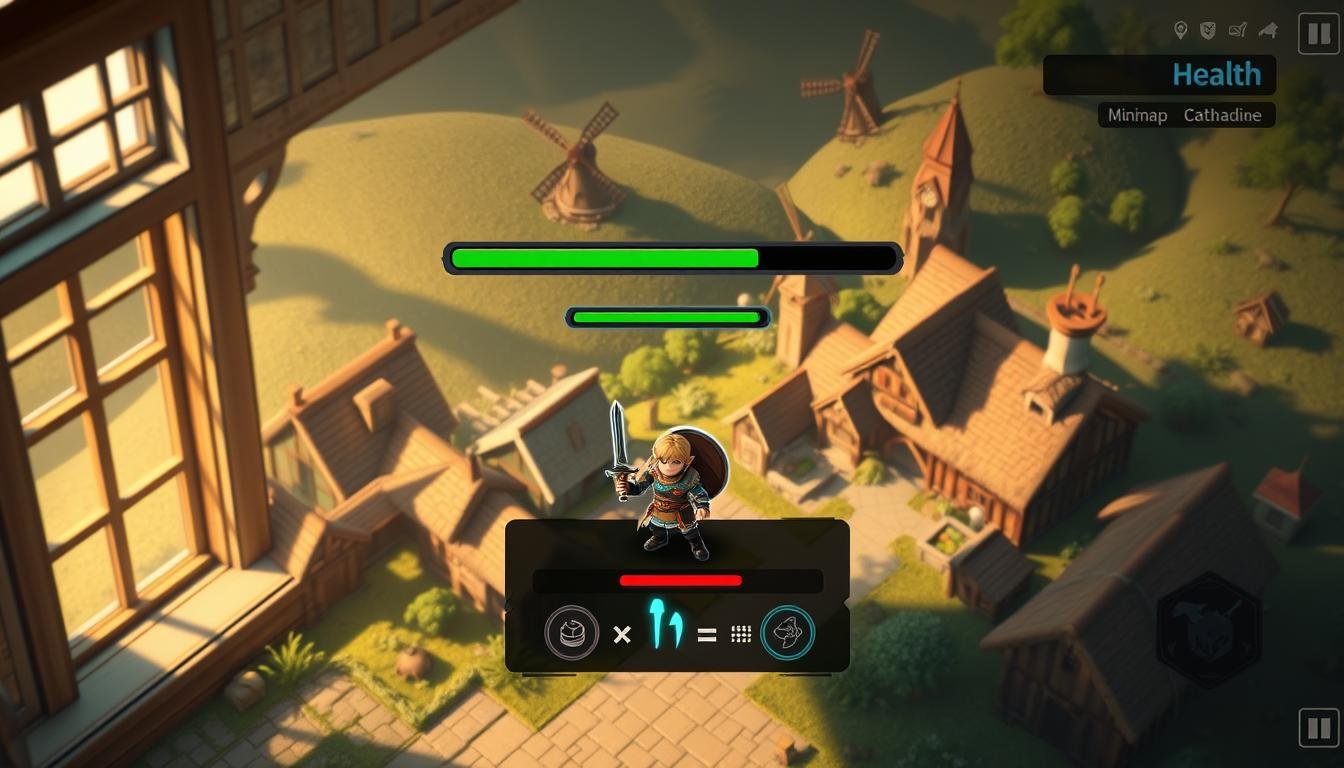
A heads-up display, or HUD, shows vital stats at a glance. Organize this information into logical visual groups. This way, players can quickly find what they need.
Using a list-based structure is a powerful way to handle dynamic content. Each line in the list can represent a stat or an inventory slot. This approach creates a flexible framework for your UI.
Components like Canvas Group allow for smooth fade animations. This makes panels feel more polished when they appear. Proper sprite slicing keeps background images from stretching awkwardly.
Using Delegate Callbacks for Dynamic UI Updates
Keeping the UI in sync with game data is crucial. Delegate callbacks automate this process. For example, an Inventory class can declare an OnItemChanged delegate.
When items are added or removed from the inventory, this delegate is invoked. It automatically tells the UI to refresh. This creates a clean, event-driven architecture.
You get a dynamic list that updates in real-time. There is no need for manual update calls scattered throughout your code. This type of system is efficient and less prone to errors.
This method ensures the player will always see the correct information. It’s a professional approach to building a responsive adventure game interface.
Wrapping Up Your RPG Journey: Final Thoughts and Next Steps
You’ve built a solid foundation for your adventure game. This is a huge accomplishment. The systems you’ve learned here are your toolkit for creating something unique.
Remember, this is a starting point. A lot of development happens through iteration. You’ll also face challenges that tutorials can’t cover. That’s normal.
Your next step is to apply your personal style. Use these foundations to build the game you envision. Look at example projects from creators like Adam Millard for higher level ideas.
Focus on finishing a small project first. This advantage teaches you how a complete game comes together. It’s the best way to learn.
Certain things in Unity only make sense with hands-on experience. Don’t get discouraged. Keep building, and your skills will grow to a higher level.