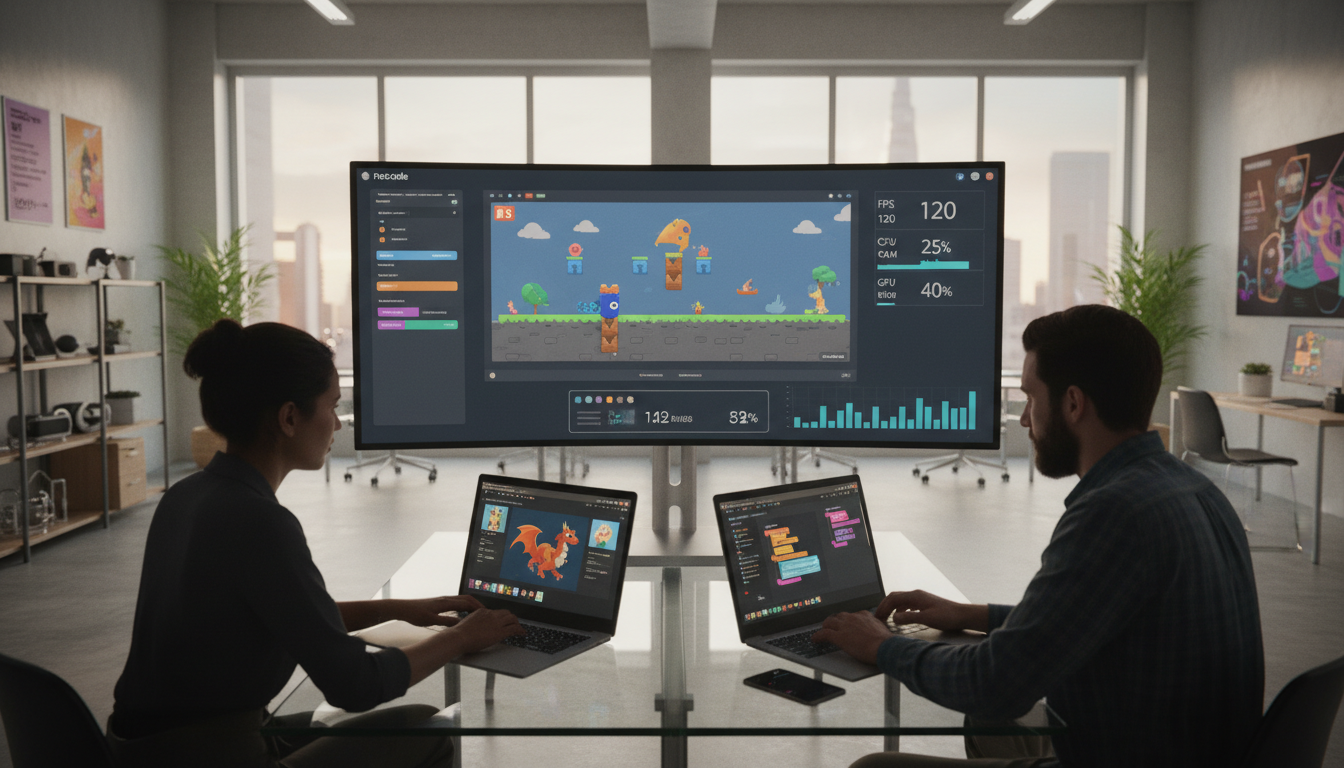
Creating interactive experiences has become more accessible than ever before. Visual development platforms allow creators to build engaging content without writing traditional programming languages. This approach has revolutionized how people approach digital creation.
Independent creators and small studios across the United States are embracing these visual tools. They seek faster ways to bring their ideas to life and reach audiences quickly. The ability to prototype rapidly and iterate without deep technical knowledge is incredibly valuable.
However, this accessibility often comes with unseen consequences. While visual builders promise speed and simplicity, they can introduce limitations that affect the final product’s quality. These constraints may not become apparent until later stages of the creation process.
Understanding these balance points is crucial for anyone choosing their technology stack. Whether building for mobile devices or web browsers, informed decisions lead to better outcomes. This analysis explores the practical implications of using visual development tools.
Key Takeaways
- Visual development platforms offer unprecedented accessibility for creators
- Speed and simplicity often come with technical limitations
- Hidden constraints may not appear until advanced stages of creation
- Understanding these balance points is essential for technology choices
- Different platforms suit different types of interactive experiences
- Informed decisions lead to better final products
- This analysis provides practical guidance for visual tool selection
Introduction to No-Code Game Development
The landscape of interactive content creation has shifted dramatically with visual development tools. These interfaces have democratized the process, allowing creators without programming backgrounds to build engaging experiences.
Visual programming systems use drag-and-drop functionality instead of traditional coding. This approach removes technical barriers that once limited creative expression.
Overview of Emerging Trends
Platforms like Construct, GameSalad, and BuildBox have gained significant traction today. They offer powerful features that enable functional game building without writing code.
These tools have fundamentally changed the way creators approach projects. The reduced complexity allows designers, artists, and hobbyists to bring concepts to life.
Relevance in the United States Market
American studios and independent creators have particularly embraced these solutions. The mobile gaming boom and indie culture drive this adoption.
Venture capital investment has accelerated platform development across the United States. Educational institutions now use these tools for teaching design concepts.
Solo entrepreneurs leverage visual builders for commercial projects on app stores. This represents a significant shift in how digital experiences reach audiences.
No-Code vs. Traditional Game Development Approaches
Two distinct paths have emerged for building interactive entertainment: visual builders versus programming-based systems. Each method offers unique advantages and challenges that creators must consider.
The choice between these approaches significantly impacts workflow, control, and final product quality. Understanding these differences helps teams select the right methodology.
Key Differences in Tools and Processes
Visual platforms use drag-and-drop interfaces and pre-built components. These systems eliminate the need for writing complex programming languages.
Traditional methods require expertise in languages like C# or C++. Developers work directly with engines such as Unity or Unreal Engine.
This fundamental distinction creates vastly different workflows. Visual tools prioritize accessibility while coding offers granular control.
Implications for Performance and Efficiency
Hand-written programming allows precise optimization at every level. Experienced developers can fine-tune memory usage and processing speed.
Visual environments trade some optimization potential for faster creation. They enable rapid prototyping and iteration without deep technical knowledge.
The decision often depends on project scope and team expertise. Some creators use hybrid approaches for optimal results.
Timeline constraints and target platform requirements also influence methodology selection. Each path serves different creative needs effectively.
Deep Dive: Performance Trade-Offs in No-Code Game Development
Platform limitations have always shaped creative output throughout digital history. Understanding these constraints remains essential for successful project execution. Visual builders introduce specific technical compromises that affect final product quality.
Understanding the Concept
Visual environments create abstraction layers between creators and hardware. These layers interpret drag-and-drop actions into executable instructions. This process inevitably adds overhead compared to direct programming.
Runtime efficiency often decreases due to generalized interpretation systems. Memory consumption typically increases as platforms accommodate diverse user needs. Startup times may lengthen while the engine initializes its visual logic interpreter.
Historical examples demonstrate why understanding limits matters. The original Super Mario Bros succeeded because creators knew the Nintendo Entertainment System’s capabilities. They designed within constraints rather than pushing beyond what the hardware could handle.
Modern visual tools face similar balancing acts. They must serve broad audiences with varying project requirements. This prevents aggressive optimization for specific use cases that custom solutions achieve.
Different genres experience these effects uniquely. Simple puzzle experiences show minimal impact. Action titles with numerous simultaneous entities encounter more significant limitations.
Evaluating these compromises helps creators choose appropriate technologies. The framework determines when visual builders suffice versus when traditional methods become necessary.
Benefits of No-Code Tools for Game Developers
Modern visual tools empower creators with unprecedented speed and simplicity in their creative process. These platforms remove technical barriers that once limited creative expression.
Faster Development and Lower Complexity
Visual environments dramatically reduce project timelines. What traditionally took months can now be accomplished in weeks or even days.
This accelerated pace allows rapid iteration on mechanics and quick market testing. Creators can refine their concepts without lengthy programming cycles.
The elimination of low-level coding frees developers to focus on creative work. Designers concentrate on engaging gameplay and compelling narratives instead of technical details.
Reduced complexity makes creation accessible to broader audiences. Artists and entrepreneurs with great ideas can now bring them to life.
| Development Aspect | Traditional Approach | Visual Tools | Impact |
|---|---|---|---|
| Project Timeline | 3-6 months | 2-4 weeks | 75% faster completion |
| Skill Requirements | Programming expertise | Creative vision | Lower barrier to entry |
| Team Collaboration | Technical/non-technical divide | Unified visual environment | Better communication |
| Cost Factors | Higher development expenses | Reduced overhead | Budget-friendly creation |
Visual platforms handle technical infrastructure behind the scenes. This allows creators to concentrate on their core vision rather than implementation details.
The financial benefits are significant for indie studios. Lower costs and faster turnaround make projects viable with limited budgets.
Hidden Drawbacks and Performance Limitations
The convenience of drag-and-drop interfaces masks underlying technical compromises that emerge during scaling. Visual platforms create abstraction layers between creators and hardware execution.
These layers interpret visual logic into executable instructions, adding computational overhead. This process affects how applications handle increasing complexity.
Impact on Speed and Memory Usage
Visual environments typically generate less efficient runtime instructions compared to hand-written solutions. Benchmark studies reveal significant differences in entity management capabilities.
Filip Hráček’s analysis demonstrated traditional engines handle complex object interactions more effectively. Memory allocation patterns in visual tools often lack the precision of custom implementations.
This becomes critical when managing numerous simultaneous entities. Action titles with hundreds of characters experience noticeable slowdowns.
Challenges with Data Structures and Optimization
Visual platforms provide generic data structure implementations suitable for basic scenarios. However, they struggle with specialized requirements common in interactive experiences.
Custom-tailored structures optimized for specific mechanics outperform generic solutions. The optimization options available in visual tools are often limited in scope.
Creators may need to incorporate custom scripting to address bottlenecks. This approach can undermine the original purpose of using visual development environments.
Technical Challenges in Benchmarking No-Code Game Performance
Measuring the true capabilities of visual development tools presents unique methodological hurdles. Direct comparisons between platforms often yield misleading results without proper context.
These systems serve different audiences and purposes than traditional engines. Fair assessment requires accounting for these fundamental differences.
Methodologies and Real-World Testing
Filip Hráček’s benchmarking principles emphasize using general best practices for each platform. The testing approach should reflect how typical creators would build projects.
Expert-level optimizations are excluded from fair comparisons. This ensures the data represents real-world usage scenarios.
Effective evaluation covers multiple dimensions of system behavior. Comprehensive analysis provides meaningful insights for creators.
| Testing Dimension | Measurement Focus | Tool Requirements | Significance Level |
|---|---|---|---|
| Startup Time | Initial loading speed | Timing instruments | High impact on user experience |
| Frame Rates | Visual smoothness | Performance monitors | Critical for action titles |
| Entity Handling | Object management capacity | Stress testing software | Determines complexity limits |
| Memory Consumption | Resource usage patterns | System analyzers | Affects device compatibility |
The step-by-step process begins with defining equivalent test cases. Implementation follows each platform’s canonical patterns.
Results must be interpreted with careful consideration of practical implications. Small differences may not affect actual projects.
Understanding which gaps represent genuine limitations helps creators make informed technology choices.
Comparative Case Studies: No-Code vs. Code-Based Solutions
Case studies provide valuable insights into how various tools handle different scenarios. Real-world examples demonstrate practical implications of technology selection.
Real-World Examples from Industry
Successful interactive experiences show clear patterns across different platforms. Simple puzzle titles often thrive with visual builders due to minimal entity management needs.
Action-oriented experiences typically require traditional engines. These handle hundreds of simultaneous objects without frame rate issues.
Mobile card games represent another interesting case. They prioritize quick loading and small download sizes over complex object handling.
Analysis from Web Sources
Filip Hráček’s comprehensive study tested identical scenarios across multiple platforms. Web deployment revealed significant startup time differences.
Some visual solutions loaded in 2-3 seconds with small payloads. Traditional engines required 10-15 seconds with larger downloads.
Entity handling capacity showed opposite results. Traditional systems managed thousands of objects while maintaining smooth operation.
This contrast highlights how project requirements determine optimal tool selection. Each approach excels in different scenarios.
Balancing Developer Efficiency and Engine Optimization
Software creation involves constant negotiation between ideal outcomes and practical constraints. Teams must weigh productivity gains against technical excellence when selecting their tools.
Visual platforms offer significant speed advantages for creators. However, they sacrifice some low-level control that expert programmers leverage for fine-tuning.
The right balance depends entirely on project context. A solo creator building their first interactive experience has different needs than a professional studio.
Teams must evaluate specific requirements against realistic timelines. Premature optimization wastes resources, while inadequate work can make products unusable.
Understanding target platforms and audience expectations is crucial. Mobile puzzle experiences have different demands than action titles for competitive markets.
| Project Type | Team Size | Recommended Approach | Optimization Level |
|---|---|---|---|
| First Project | Solo Creator | Visual Tools | Basic |
| Casual Mobile | Small Team | Hybrid Solution | Moderate |
| Action Title | Professional Studio | Traditional Engine | Advanced |
| Prototype Phase | Any Size | Visual Platform | Minimal |
Modern development often uses hybrid methods. Visual tools handle rapid prototyping while custom coding manages critical components.
This balance affects team composition and workflow. Some studios find visual tools enable smaller teams to work effectively. Others require specialized engineers for technical challenges.
Strategies to Overcome Performance Bottlenecks
Effective optimization requires a systematic approach to identifying actual bottlenecks. Creators should begin by establishing clear performance baselines before making any changes.
This initial step provides measurable targets for improvement efforts. Without proper baselines, it’s impossible to quantify progress accurately.
Best Practices for Profiling and Optimization
Profiling tools help pinpoint where resources are actually consumed. Rather than optimizing based on assumptions, use data-driven insights.
Focus your work on the specific areas causing disproportionate impact. These critical sections typically represent a small portion of the overall project.
Targeted optimization preserves readability while addressing genuine limitations. This approach prevents unnecessary complexity across the entire codebase.
Utilizing Tools and Libraries Effectively
Leverage built-in libraries that offer pre-optimized functionality. These tools often provide both efficiency and maintainability benefits.
Platform-specific features can handle common tasks more effectively than custom solutions. The next step involves testing thoroughly after implementing changes.
Verify that improvements haven’t introduced new issues or reduced maintainability. This careful approach ensures sustainable performance gains.
Future Trends in No-Code Game Development Performance
The horizon of visual creation tools reveals promising advancements on multiple fronts. Emerging technologies will address current limitations while expanding creative possibilities.
These innovations promise to enhance the final quality of interactive experiences. Creators can expect significant gains across various technical areas.
Evolving Technologies and Potential Improvements
Modern compilation methods are transforming how visual platforms generate code. Just-in-time and ahead-of-time compilers narrow efficiency gaps with traditional approaches.
WebAssembly technology enables highly optimized binary execution in browsers. This makes the web platform more viable for complex interactive experiences.
Artificial intelligence systems automatically identify optimization opportunities. They suggest enhancements without requiring deep technical expertise from creators.
| Technology Area | Current State | Future Improvement | Impact Level |
|---|---|---|---|
| Compilation Systems | Basic code generation | Advanced optimization | High impact |
| Web Deployment | Limited browser support | Near-native speeds | Medium impact |
| AI Optimization | Manual tuning required | Automatic enhancements | High impact |
| Cloud Integration | Local processing only | Remote computation | Medium impact |
Cloud-based solutions may shift computational burdens to powerful servers. This approach reduces local device requirements for complex projects.
Visual scripting interfaces will better understand creator intent. They will apply domain-specific optimizations for different types of interactive experiences.
Major technology companies continue investing in these platforms. This competitive pressure drives continuous improvements that benefit all creators.
Balancing Performance Optimization and Code Readability
Software engineers have long wrestled with the delicate balance between execution speed and human comprehension. This challenge persists even when working with visual programming interfaces instead of traditional text-based systems.
The fundamental tension between optimization and maintainability exists across all creation methods. Visual node systems face the same core dilemmas as handwritten programming.
Lessons from Traditional Software Engineering
Traditional engineering wisdom emphasizes starting with clear, understandable implementations. Meaningful variable names and modular functions create solid foundations.
For example, a nested loop implementation might be easy to understand but inefficient. An optimized set-based approach could deliver better speed while maintaining clarity.
Readability matters because creation is often collaborative work. Logic that’s difficult to understand slows progress and increases errors.
| Approach | Complexity | Readability | Best Use Case |
|---|---|---|---|
| Nested Loops | O(n²) | High | Small data sets |
| Set-Based | O(n) | Medium | Large collections |
| Hash Maps | O(1) | Low | Frequent lookups |
Incorporating Tips from Benchmark Studies
Performance testing reveals that targeted optimization yields the best results. Profile your project to identify actual bottlenecks rather than optimizing everything.
Choose appropriate data structures from available built-in options. The right collection types can dramatically improve results without sacrificing clarity.
Testing remains essential after making changes. Verify that improvements haven’t introduced new issues or reduced maintainability.
Conclusion
Successful project outcomes depend on matching technology choices with specific creative goals. Visual platforms have democratized creation, enabling more people to build interactive experiences without coding expertise.
These tools exchange some optimization potential for speed and accessibility. The right approach varies by project type and team capabilities.
Looking ahead, emerging technologies will continue narrowing technical gaps. The most effective strategy often combines visual efficiency with targeted optimization where needed.
FAQ
What are the main benefits of using no-code tools for creating games?
What are some common hidden drawbacks of no-code engines?
How can I test the performance of a game made with a no-code tool?
Are there ways to improve performance in a no-code project?
How does no-code development compare to writing code from scratch?
What is the future outlook for no-code platforms in terms of capabilities?

Game developer with over 10 years of professional experience specializing in the mobile sector. George’s journey began with a passion for indie development, leading him to contribute to several successful mobile titles, including the critically acclaimed puzzle-platformer ChronoShift and the top-down strategy game Pocket Empires.