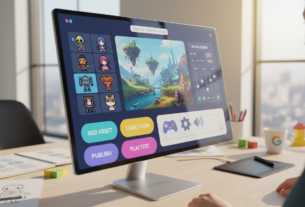
The global gaming industry continues its impressive growth trajectory, projected to reach $522.46 billion by 2025. This expansion creates unprecedented opportunities for creators worldwide. With 2.2 billion users expected soon, the market demands fresh content and innovative experiences.
Modern development platforms have democratized game creation. Tools like Unity Visual Scripting and Construct 3 empower writers, designers, and non-programmers to bring their ideas to life. These solutions eliminate traditional coding barriers, making development accessible to diverse creative talents.
Knowing the right moment to advance from concept to commercial product is crucial. This comprehensive guide explores strategic approaches for indie developers and small teams. It focuses on managing technical challenges while transitioning from validation to full-scale production.
Key Takeaways
- The gaming market’s rapid growth creates significant opportunities for creators using accessible development tools
- Modern platforms enable non-programmers to create functional game concepts without traditional coding skills
- Identifying the optimal transition point from prototype to commercial product is essential for success
- Strategic scaling helps manage technical limitations while maintaining product quality
- Industry best practices provide valuable guidance for navigating the development pipeline
- Community resources offer support for overcoming common challenges during expansion
- Proper planning ensures smooth progression from concept validation to market-ready products
Exploring the No-Code Game Development Landscape
A quiet revolution in software design has transformed game development from an exclusive technical field to an inclusive creative pursuit. Writers, artists, and designers now bring interactive concepts to life without traditional programming knowledge.
The Rise of No-Code Tools
Visual interfaces replaced complex programming languages over the past decade. Platforms like Construct 3 and GDevelop offer drag-and-drop functionality. These solutions empower creators to test gameplay ideas quickly.
Modern environments support advanced features once limited to coded solutions. Physics simulation and multiplayer capabilities are now accessible through intuitive visual editors.
| Aspect | Traditional Development | Modern Visual Approach |
|---|---|---|
| Required Skills | C++, C#, JavaScript programming | Visual logic and design thinking |
| Development Time | Months for basic prototypes | Weeks for functional concepts |
| Accessibility | Limited to programmers | Open to diverse creative roles |
| Iteration Speed | Slow code modifications | Rapid visual adjustments |
Benefits for Indie Developers and Teams
Small studios gain significant advantages from visual development platforms. Reduced costs and faster iteration cycles help validate concepts before full production.
These tools serve three main user groups effectively. Beginners explore design concepts without coding syntax. Educators teach interactive fundamentals. Indie teams prototype with limited resources.
The landscape continues evolving with more sophisticated capabilities. Creators from non-technical backgrounds bring fresh perspectives to interactive experiences.
Understanding the Importance of Prototype Scaling in Game Development
Every successful digital experience begins with a foundational model that tests core assumptions before expansion. These early versions help teams evaluate dozens of concepts during brainstorming sessions. Playtesting and feedback narrow down ideas to the most promising candidates.
Creators use three primary forms during this phase. Word versions contain written descriptions and branching narratives. Paper mockups provide visual representations of gameplay loops. Functional tech demos offer working examples of core mechanics.
The transition from minimal models to robust products represents a critical decision point. Proper timing prevents resource waste on unproven concepts while avoiding missed market opportunities. This strategic inflection point can save months of effort.
Successful expansion requires understanding which elements must remain unchanged. Core experiences that made the original successful should be preserved. Additional features and content can be added while maintaining fundamental appeal.
This progression extends beyond technical considerations to include team dynamics and budget management. Adapting to user feedback and market realities discovered during early testing ensures sustainable growth. The entire journey from concept to commercial product depends on this crucial phase.
Techniques for Scaling Prototypes Built with No-Code Game Engines
Advancing preliminary designs into market-ready offerings involves implementing proven safety protocols. The initial phase requires a thorough technical assessment to identify potential bottlenecks before expansion begins.
Best Practices and Safety Measures
A modular approach to project architecture proves essential for stable growth. Organizing components into discrete systems allows for independent testing and replacement.
Version control tools become indispensable during this phase. They enable tracking changes and reverting problematic updates while maintaining stable builds.
Regular performance monitoring helps identify issues before they escalate. Built-in profiling tools in modern platforms detect memory leaks and rendering inefficiencies.
Establishing clear rollback points and maintaining stable reference builds provides safety nets. Gradual feature introduction prevents destabilizing the entire project structure.
Comprehensive documentation supports team collaboration as complexity increases. Detailed notes on system dependencies and design decisions prevent reverse-engineering needs.
Parallel development tracks allow experimental features to be tested safely. Regular playtesting at each milestone catches usability issues early in the process.
Setting specific metrics as expansion triggers ensures timely investment decisions. Engagement thresholds and technical validation checkpoints guide appropriate scaling moments.
Choosing the Right No-Code Tools for Your Prototyping Needs
Selecting the ideal development platform represents a critical early decision that can shape your entire project trajectory. This choice impacts workflow efficiency, team collaboration, and future expansion capabilities.
Different platforms serve distinct purposes based on project requirements. Some excel at rapid concept testing while others offer smoother transitions to advanced production stages.
Tool Comparisons and Feature Overviews
Jay Rooney’s experience demonstrates the value of thorough evaluation. He tested narrative engines Inky and Twine for text-based concepts before committing.
Inky offered superior stability and user experience. However, Twine’s visual interface provided clearer scene relationship visualization despite occasional technical issues.
This approach saved significant development time and stress. Conducting small tests in multiple candidate platforms prevents costly mid-project switches.
Key evaluation factors include learning curve, community support, and export options. Consider both immediate prototyping needs and long-term goals when selecting tools.
Platforms like Unity demonstrate hybrid advantages. Visual scripting handles rapid concept development while optional coding provides customization pathways.
Planning and Mapping Your Game Prototype Effectively
Effective organization separates amateur concepts from professional productions in the interactive entertainment space. Clear documentation and structured timelines transform creative ideas into manageable development steps.
A comprehensive game design document serves as the project’s foundation. This vital tool outlines core mechanics, target audience, and technical requirements. It provides clear direction for the entire team throughout development.
Creating a Cohesive Gameplay Loop
The gameplay loop represents the core player experience cycle. Mapping this sequence visually before building ensures every design decision reinforces the intended experience.
Tools like Twine or Lucidchart help externalize abstract concepts into concrete sequences. This visual approach allows for analysis and iteration before committing significant resources.
Managing Scope and Deadlines
Scope management requires ruthless prioritization of features. Distinguish between essential elements and enhancements that risk feature creep.
Deadlines create natural checkpoints for evaluation and decision-making. Time-boxed development sprints help maintain focus and combat perfectionist tendencies.
Regular team reviews ensure alignment on priorities and responsibilities. Shared project management tools visualize task dependencies and milestone timelines.
Designing Engaging Themes and Visuals Without Coding
Visual identity serves as the silent narrator in interactive media, conveying complex information through intuitive design systems. Modern development platforms provide comprehensive toolkits for crafting compelling aesthetics without traditional artistic training.
These environments democratize visual creation through accessible interfaces. Creators from diverse backgrounds can establish distinctive artistic directions using integrated resources.
Utilizing Built-In Assets and Visual Editors
Platform libraries contain extensive collections of ready-to-use components. Sprites, 3D models, and sound assets form the foundation for unique visual identities.
Map editor functionality accelerates environment creation through tile-based systems. Developers paint landscapes rather than manually placing individual elements.
Real-time preview editors enable instant visual feedback during iteration. Color schemes and interface layouts evolve through immediate experimentation.
Creative techniques extend basic tool capabilities for sophisticated results. HTML formatting in Twine and effect layering in Construct 3 achieve professional visual treatments.
Consistent application of color palettes and animation styles ensures cohesive experiences. Technical simplicity doesn’t limit artistic sophistication in well-executed projects.
Implementing Rapid Prototyping and Iterative Design Methods
Rapid iteration transforms theoretical concepts into tangible player experiences through systematic testing. This approach prioritizes speed and validation over polished aesthetics.
Jay Rooney’s team demonstrated this methodology effectively. They narrowed fifty initial ideas to five final concepts through weekend development sprints.
Gathering and Applying User Feedback
Playtesting reveals whether design assumptions match actual user reactions. Developers should never presume their personal preferences align with audience expectations.
Structured sessions combine quantitative metrics with qualitative insights. Completion rates and emotional responses together create a comprehensive evaluation picture.
The iterative cycle follows a continuous loop of creation, testing, and refinement. Each repetition brings the experience closer to audience expectations.
Time-boxed constraints force prioritization of essential features. Weekend builds prevent perfectionism from delaying critical feedback collection.
Documenting each version creates valuable historical records. Change logs and test results inform future decision-making and prevent repeated mistakes.
Early-stage testing benefits from “think-aloud” protocols where players verbalize their reactions. This reveals usability issues that silent observation might miss.
Overcoming Common Challenges in No-Code Prototyping
Even the most intuitive development tools present unexpected hurdles that can derail creative momentum. Technical obstacles often emerge during the creation process, requiring strategic problem-solving approaches different from traditional programming.
Platform-specific instabilities represent significant barriers for creators. Tools like Twine exhibit temperamental behavior with cryptic error messages. Developers without coding backgrounds struggle to interpret technical feedback that stalls progress.
Troubleshooting and Debugging Tips
Jay Rooney’s experience highlights this challenge perfectly. When his project encountered bugs, he needed programming assistance from teammate Valencia. The debugging process felt like translating ancient texts without technical training.
Performance optimization becomes critical as projects grow in complexity. Excessive objects and inefficient logic can cause frame rate drops or crashes. Built-in profilers in platforms like Construct 3 help identify these bottlenecks.
Debugging strategies rely heavily on visualization tools. Real-time variable inspection and execution path highlighting make logic flows understandable. These features compensate for the absence of traditional programming interfaces.
Community forums and documentation provide essential support when official resources fall short. Experienced developers often share solutions not found in tutorials. This collective knowledge helps overcome platform limitations.
Learning basic programming concepts proves valuable even without writing code. Understanding variables, conditionals, and functions makes visual scripting more effective. This knowledge helps troubleshoot unexpected behaviors.
The most reliable approach involves systematic isolation of problems. Disable features individually to identify specific issues. Compare broken implementations against working examples from community projects.
Leveraging Team Collaboration and Community Resources
Modern game creation thrives on collective intelligence rather than individual expertise. Even solo developers can access powerful support networks that transform isolated struggles into collaborative successes.
Jay Rooney’s experience demonstrates this principle perfectly. His team included programmers who helped troubleshoot technical issues he couldn’t resolve alone. This support proved crucial for advancing their project.
Accessing Expert Guidance and Peer Support
Cross-functional teams benefit significantly from visual development environments. Reduced technical barriers allow designers and writers to implement ideas directly. This eliminates communication delays through intermediary translators.
Cloud-based collaboration features in platforms like GDevelop enable real-time multi-user editing. Team members always work with current assets and logic. Version history tracking prevents confusion from multiple file versions.
| Resource Type | Platform Examples | Primary Benefits |
|---|---|---|
| Community Forums | Discord, Reddit r/gamedev | Immediate problem-solving |
| Structured Programs | Indie Game Academy | Cohort-based peer support |
| Global Networks | GitHub, StackOverflow | 24/7 international expertise |
Community resources extend far beyond official documentation. YouTube tutorials, asset marketplaces, and template libraries provide practical solutions. These resources help developers overcome common challenges efficiently.
The global nature of modern development communities transcends geographic boundaries. A developer in the United States can receive debugging help from European experts. They can collaborate with Asian artists and playtest with users worldwide.
Mentorship relationships dramatically accelerate learning curves. Experienced developers offer guidance that helps newcomers avoid common pitfalls. This support maintains motivation through inevitable frustrations.
Never hesitate to seek assistance when facing obstacles. Success often depends on leveraging available resources effectively. The development world offers abundant support for those willing to engage.
Integrating Advanced Features and Customization Strategies
Modern interactive development platforms incorporate advanced functionality that was once exclusive to traditional programming approaches. These tools now provide comprehensive solutions for creating sophisticated interactive experiences.
Enhancing Interactivity with Visual Scripting
Visual scripting systems transform complex programming concepts into intuitive node-based workflows. Developers connect logic blocks visually, creating sophisticated gameplay systems without writing code.
Platforms like Unity offer robust visual scripting environments. These tools make advanced programming architectures accessible through drag-and-drop interfaces.
| Feature Category | GDevelop Capabilities | Unity Visual Scripting | Unreal Engine Blueprints |
|---|---|---|---|
| Physics Simulation | Integrated engine with real-time effects | Full physics system support | Advanced physical interactions |
| Multiplayer Functionality | Real-time with client prediction | Networked game support | Dedicated multiplayer framework |
| AI Pathfinding | Built-in navigation system | Custom AI behavior creation | Advanced AI toolkit included |
| Visual Scripting Approach | Event-based logic flow | Node-based graph editing | Visual programming interface |
Behavior libraries encapsulate complex functionality into reusable components. A platformer movement system might handle jumping and wall-sliding automatically.
Customization occurs through layered behaviors and parameter adjustments. Developers combine effects to create unique gameplay experiences from simple building blocks.
Performance optimization requires understanding efficiency principles. Strategic variable usage and event management maintain smooth operation in complex projects.
Strategies for Commercializing and Marketing Your Game Prototype
Commercial success in interactive entertainment demands careful consideration of distribution and audience engagement. Planning should start during the concept phase to validate market interest.
Early access programs and social media teasers help gauge player response before committing significant resources. This approach reduces financial risk while building initial community support.
| Platform Type | Primary Audience | Key Features | Revenue Model |
|---|---|---|---|
| PC Distribution | Core gaming enthusiasts | Community features, mod support | Premium purchases, DLC |
| Mobile Stores | Casual players worldwide | Massive user base, accessibility | Free-to-play with IAP |
| Console Markets | Dedicated home gamers | Premium positioning, certification | Higher price points |
| Web Platforms | Browser-based users | Direct distribution, minimal barriers | Pay-what-you-want, ads |
Marketing should emphasize gameplay quality and unique creative vision rather than technical details. Players care about fun experiences and compelling characters.
Video content through development blogs and social media builds audience investment. Behind-the-scenes footage humanizes creators and fosters community engagement.
Singapore’s gaming market presents significant opportunities with revenue projected to reach $826.33 million in 2025. This growth creates favorable conditions for targeting Southeast Asian audiences.
Multiple completed projects demonstrate capability more effectively than single ambitious concepts. Finished work proves the ability to deliver polished player experiences.
Long-term success requires planning for post-launch support and community management. The chosen platform should support ongoing updates and player feedback integration.
Conclusion
Ultimately, the measure of success in interactive creation lies not in technical sophistication but in the player’s emotional connection to the experience. The journey from idea to completed project teaches invaluable lessons about design, teamwork, and creative resilience.
As Jay Rooney wisely notes, creators should celebrate progress and learn from both successes and setbacks. Early mistakes often provide the most valuable learning opportunities. The development process should be enjoyed rather than endured.
Modern visual tools have democratized game creation, allowing diverse voices to contribute fresh perspectives. Success depends on understanding player psychology and maintaining scope discipline throughout the creative process.
Remember that completed projects create meaningful experiences and learning opportunities. The act of bringing interactive worlds to life represents an achievement worthy of pride, regardless of commercial outcomes.
FAQ
What is the main advantage of using a no-code game engine for prototyping?
Can a game prototype built without coding be turned into a full, commercial product?
How do I choose the right no-code tool for my video game project?
What is the biggest challenge when scaling a no-code prototype?
How important is the game design document in the no-code development process?
Can I create unique visuals and a custom character without any programming?

Game developer with over 10 years of professional experience specializing in the mobile sector. George’s journey began with a passion for indie development, leading him to contribute to several successful mobile titles, including the critically acclaimed puzzle-platformer ChronoShift and the top-down strategy game Pocket Empires.